
SketchUp vs Hadaa: Start From the DWG You Already Drew
You draw. We build. With SketchUp and V-Ray, you draw the plan, then you build the garden again in 3D: import the linework, push up the walls and paving, place every tree, assign every material, set the light. With the Hadaa CAD Engine, the drawing you already made is the model. It reads the file, names every plant, builds the features and the house, reviews its own work and photographs the result. No other landscape tool renders the DWG file itself.
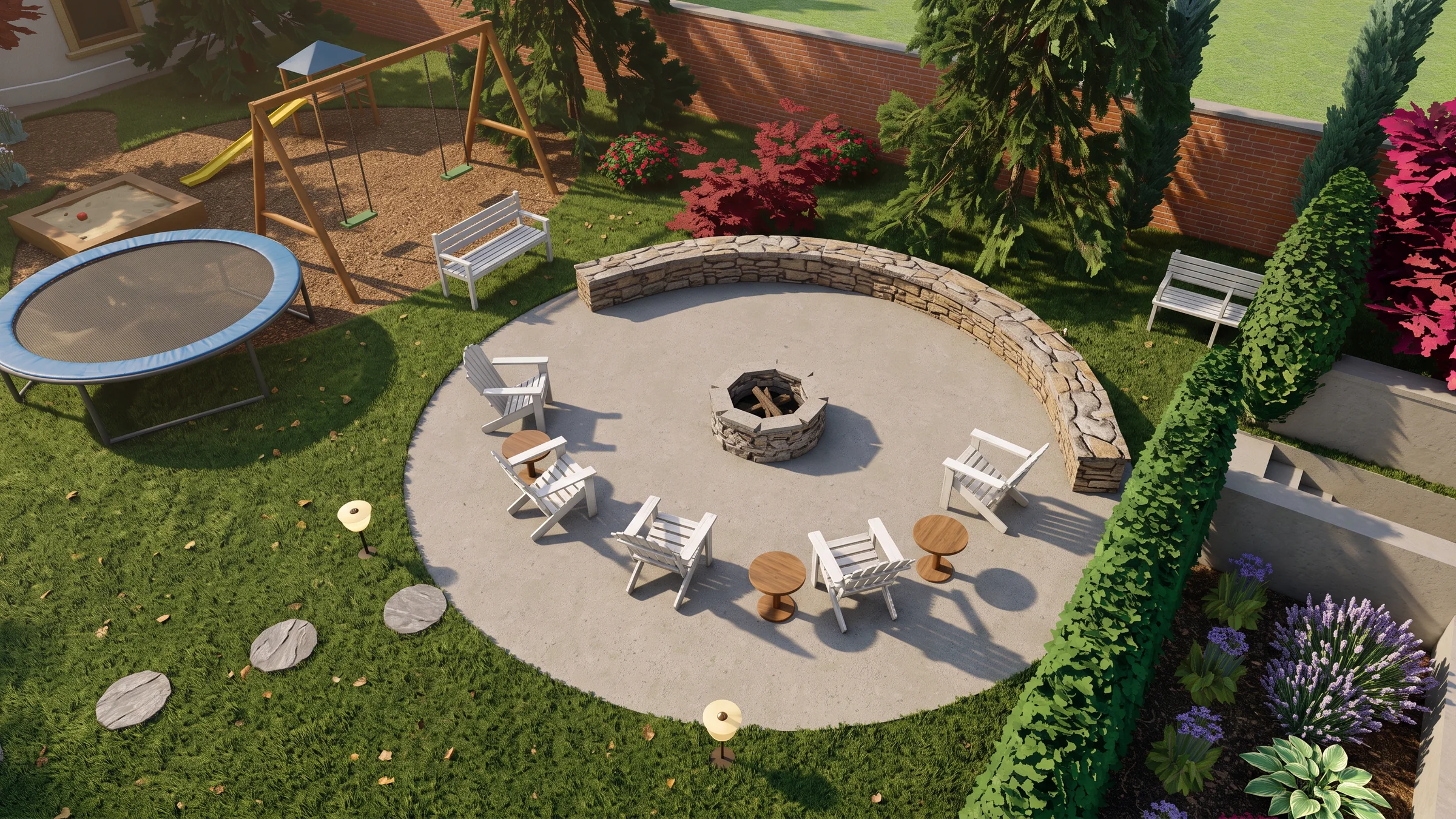
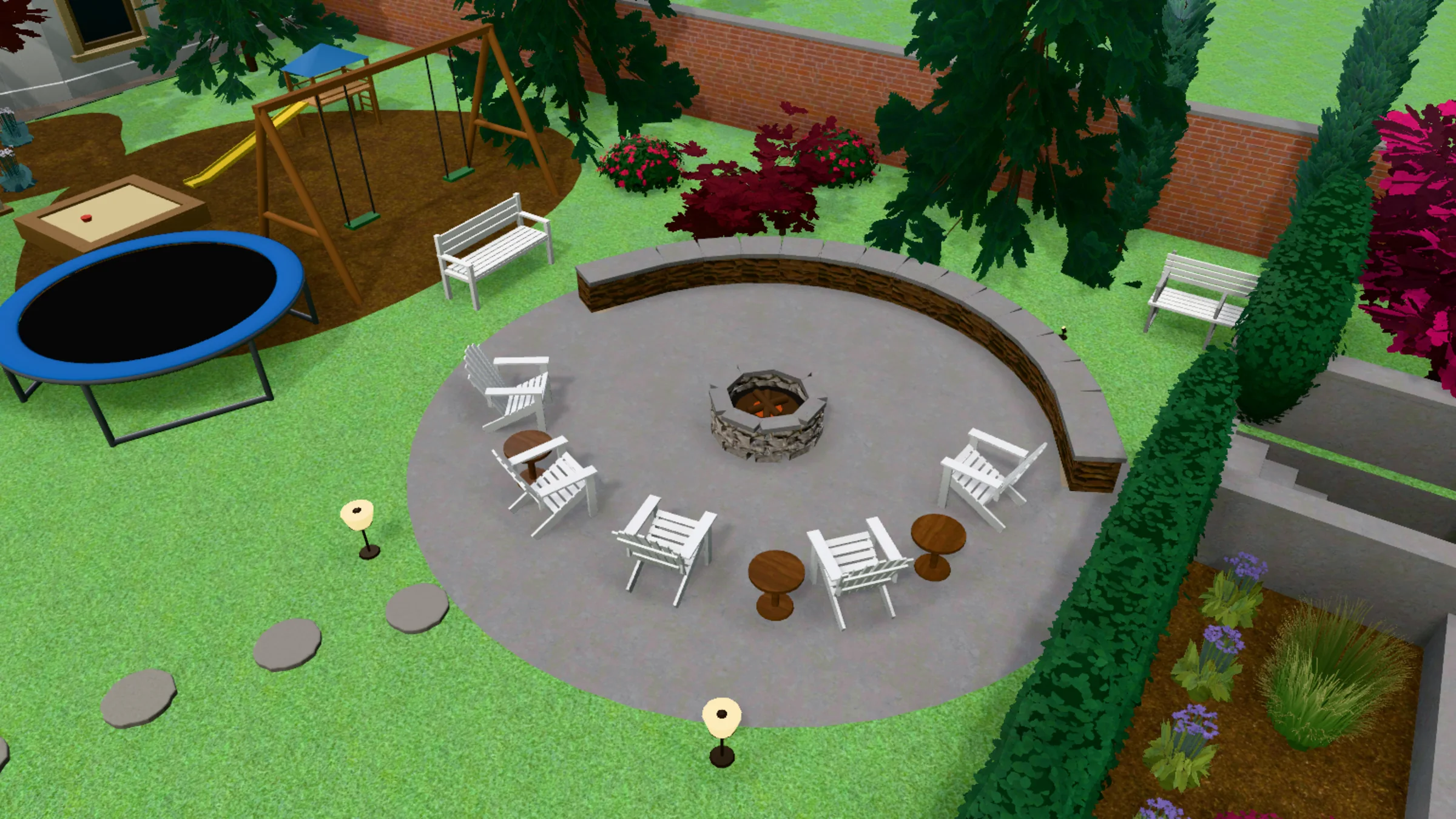 3D model
Render
3D model
Render
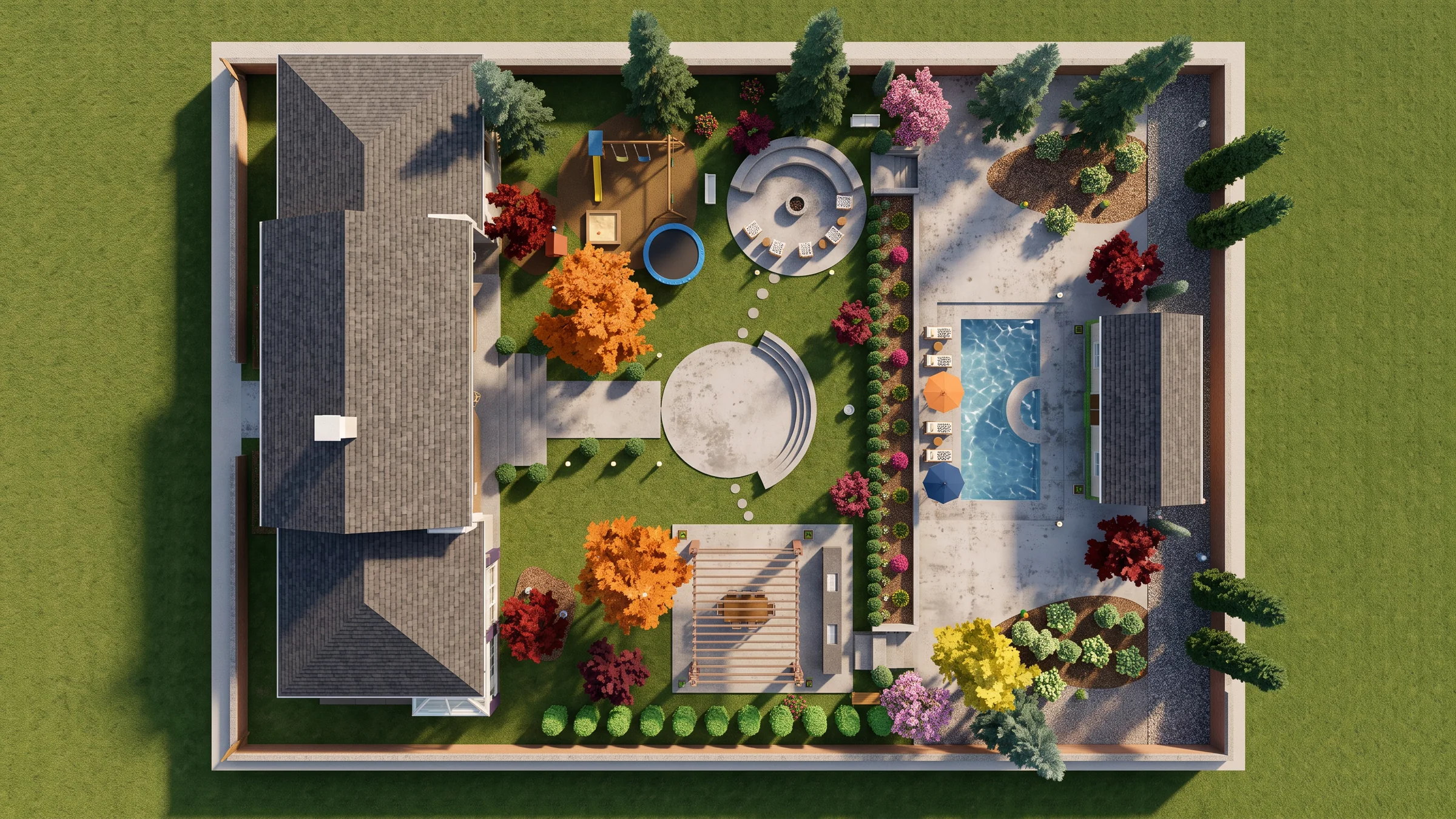
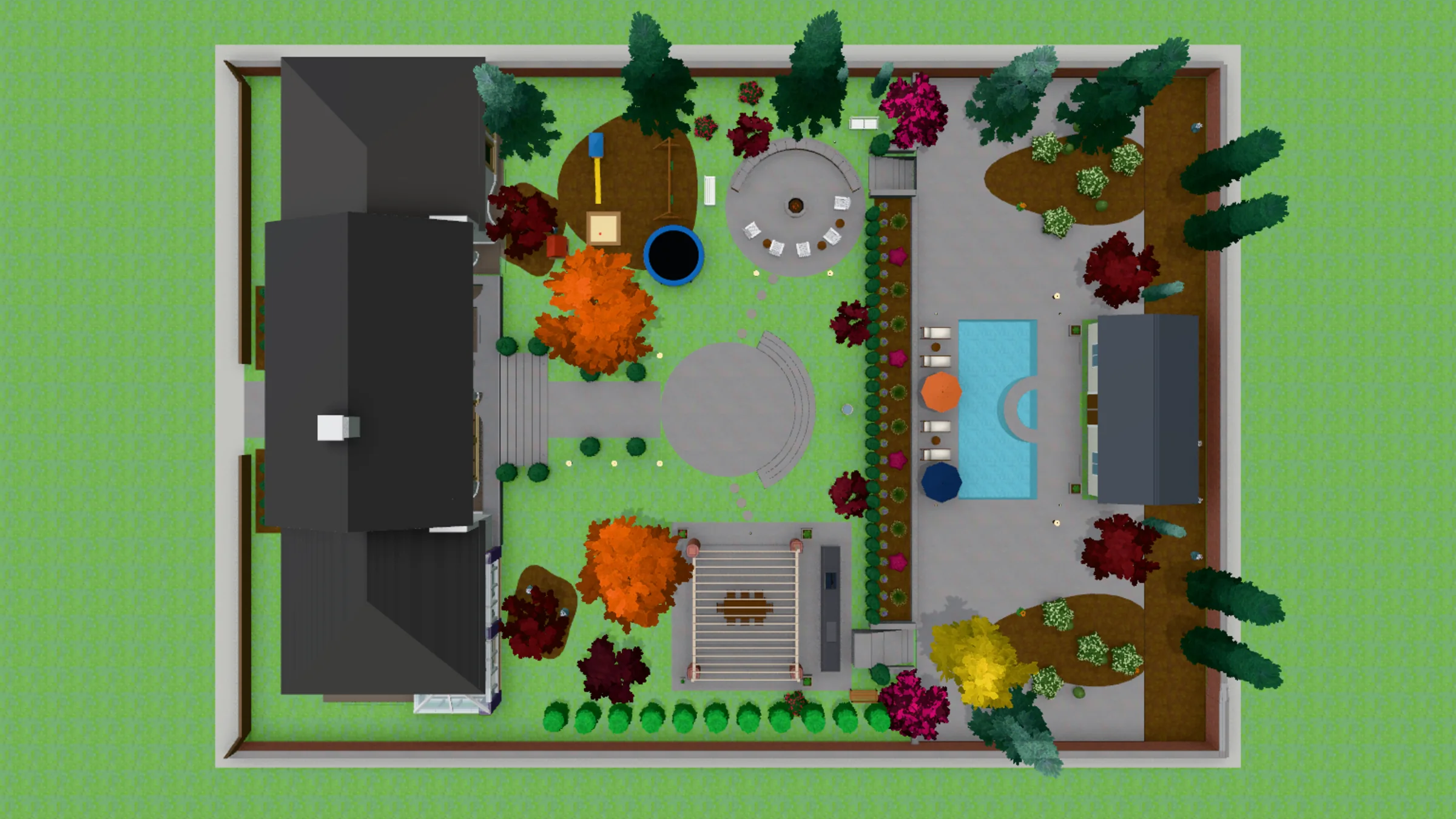
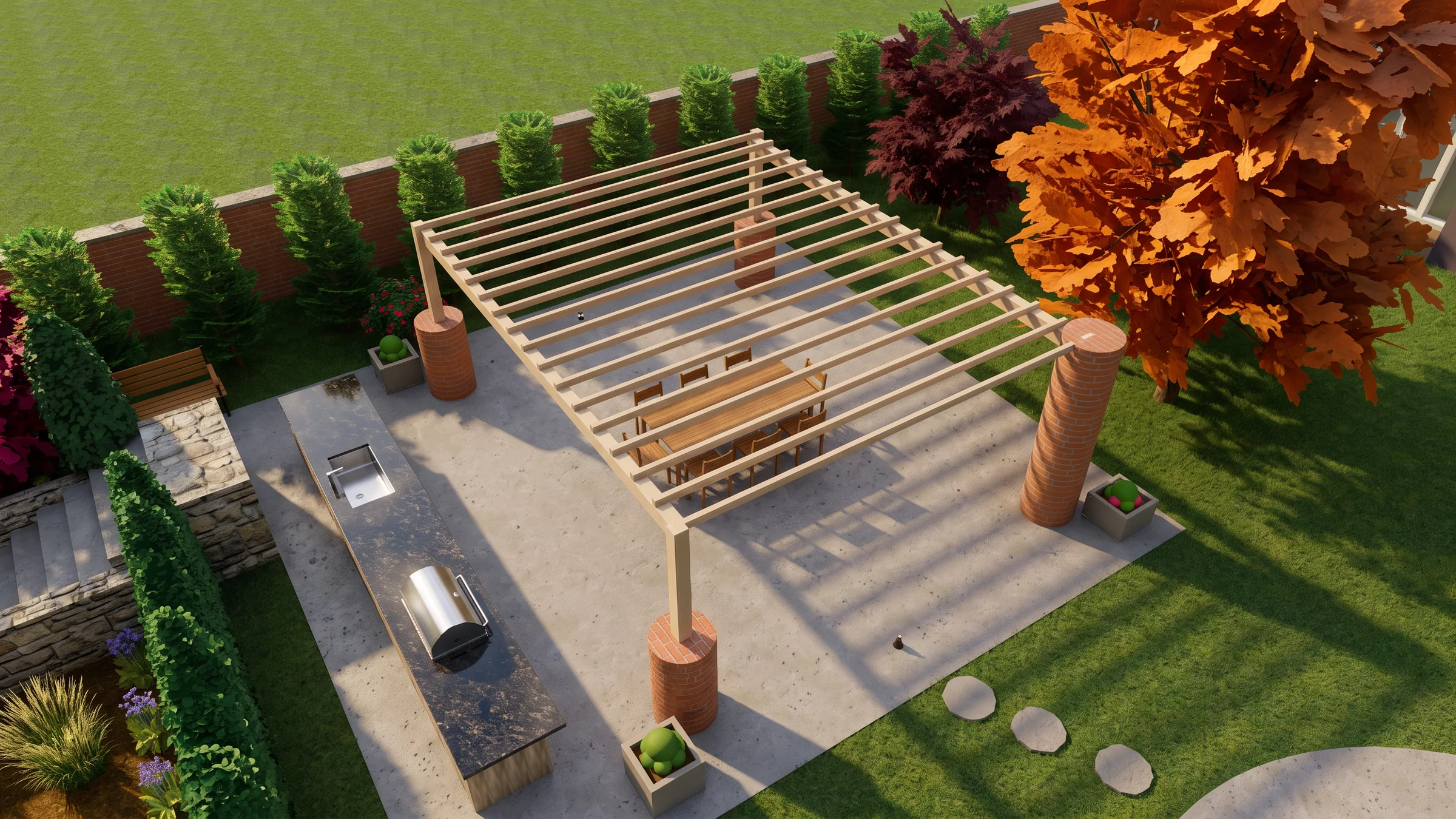
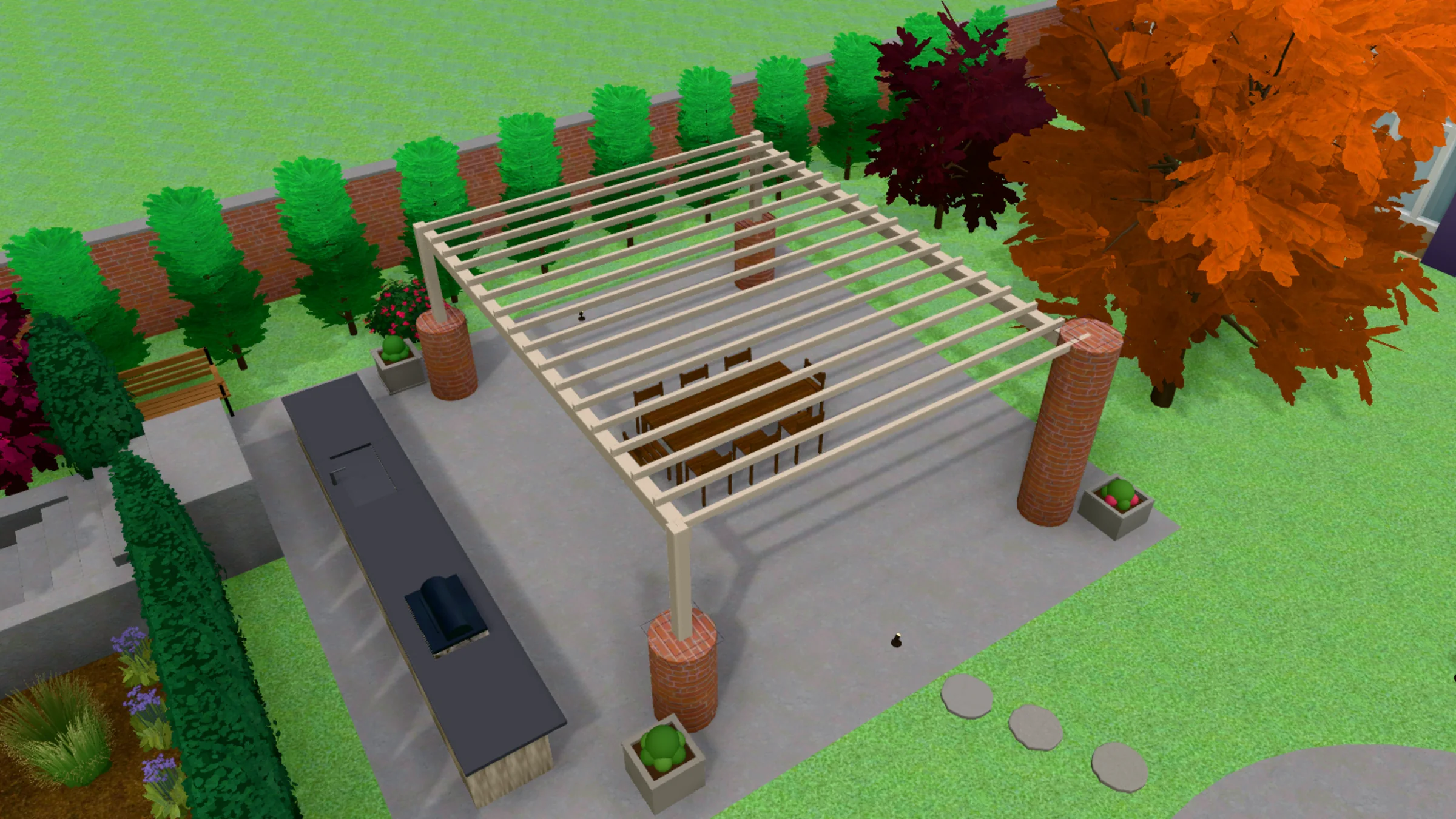
A real render beside the view drawn from its DWG. Drag the handle to compare.
Quick Answer
- From a DWG to a photograph: Hadaa wins — it reads the .dwg and builds the 3D garden itself. SketchUp needs the garden modelled by hand before V-Ray can render it.
- Checked against the drawing: Hadaa wins — every view is measured against the drawing it came from and made again until it matches, up to 3 times. V-Ray renders whatever the model holds.
- Who can make the picture: Hadaa wins — the person who drew the plan. SketchUp and V-Ray want a trained operator.
- A hand-modelled, fully custom model: SketchUp + V-Ray win — model anything, even a design nobody has drawn, light it any way, render animations and panoramas.
- Software price: SketchUp + V-Ray list lower — SketchUp Pro and V-Ray Solo come to $939 a year, against Signature Studio’s $1,990. What they leave out is the modelling, which Signature Studio builds for you.
CAD ↔ Photo is in Signature Studio: $199 a month or $1,990 a year, 2,000 credits a month, on the web.
Disclosure: Hadaa is our product. SketchUp and V-Ray are excellent tools that do far more than render a plan — we’ve described them as honestly as we’d want them to describe us.
What the Hadaa CAD Engine does while you do nothing
The only landscape tool that turns the DWG you already drew into a modelled, planted, reviewed 3D garden and house, automatically.
-
It reads your drawing
Every layer, label, level and legend, straight from the file. Not a screenshot. Not a guess.
-
It names every plant
Your legend becomes real species at real mature size. You never retype a plant list.
-
It builds what you drew
The stairs, the pergola, the fire pit, the kitchen: modelled from your outlines, not rebuilt by hand.
-
It models your house
Send photos of it. It stands on your plan, at your scale, wearing the brick and roof you photographed.
-
It checks its own work
It holds the finished garden up against your drawing and fixes what is off, before you ever see it.
-
It photographs the result
Any angle, every view checked against your plan. Client-ready, from the file you already had.
Every view is measured against your drawing — 27 kinds of thing, among them the roof, paving, trees, fence, water and lawn — and made again, up to 3 times, until it matches. The verdict is shown under every render.
Hadaa CAD Engine takes the DWG you already drew through six moves. It reads your drawing. It names every plant. It builds what you drew. It models your house. It checks its own work. It photographs the result.
Comparison Table
Scroll horizontally on mobile. Hadaa takes the rows about getting from a drawing to a photograph; SketchUp and V-Ray take the rows about modelling and render control.
| What you get | Hadaa (CAD ↔ Photo) | SketchUp + V-Ray |
|---|---|---|
| Starts from | ✅ The AutoCAD .dwg itself | A 3D model you build (a DWG imports as linework) |
| 3D model of the garden | ✅ Built from the file’s layers, blocks and levels | Built by hand: push/pull, components, materials |
| The house | ✅ Included in the 3D model | Modelled by hand |
| What the engine chose | ✅ Every height and roof listed before you spend a credit | Whatever the modeller decided |
| Render checked against the plan | ✅ Every view made again until it matches, verdict shown | ❌ Renders the model as built |
| Cameras | ✅ Five recommended views, or any shot from 20° above the ground to straight above | ✅ Any camera, plus animation and panoramas |
| The design in your own site photo | ✅ Walk Around | Composite it yourself |
| Model what isn’t drawn | Builds the design you drew; new ideas start from a sketch | ✅ Anything you can model |
| Lighting and render settings | Photorealistic by default; high detail for finer materials | ✅ Full control |
| Drawing sets | Your CAD program drafts; Hadaa builds and photographs | ✅ LayOut (with SketchUp Pro) |
| Who runs it | ✅ The person who drew the plan | A SketchUp and V-Ray operator |
| Price | Signature Studio $199/mo or $1,990/yr | SketchUp Pro $399/yr + V-Ray Solo $540/yr |
How Hadaa Renders the DWG
Hadaa CAD ↔ Photo — The Drawing Is the Model
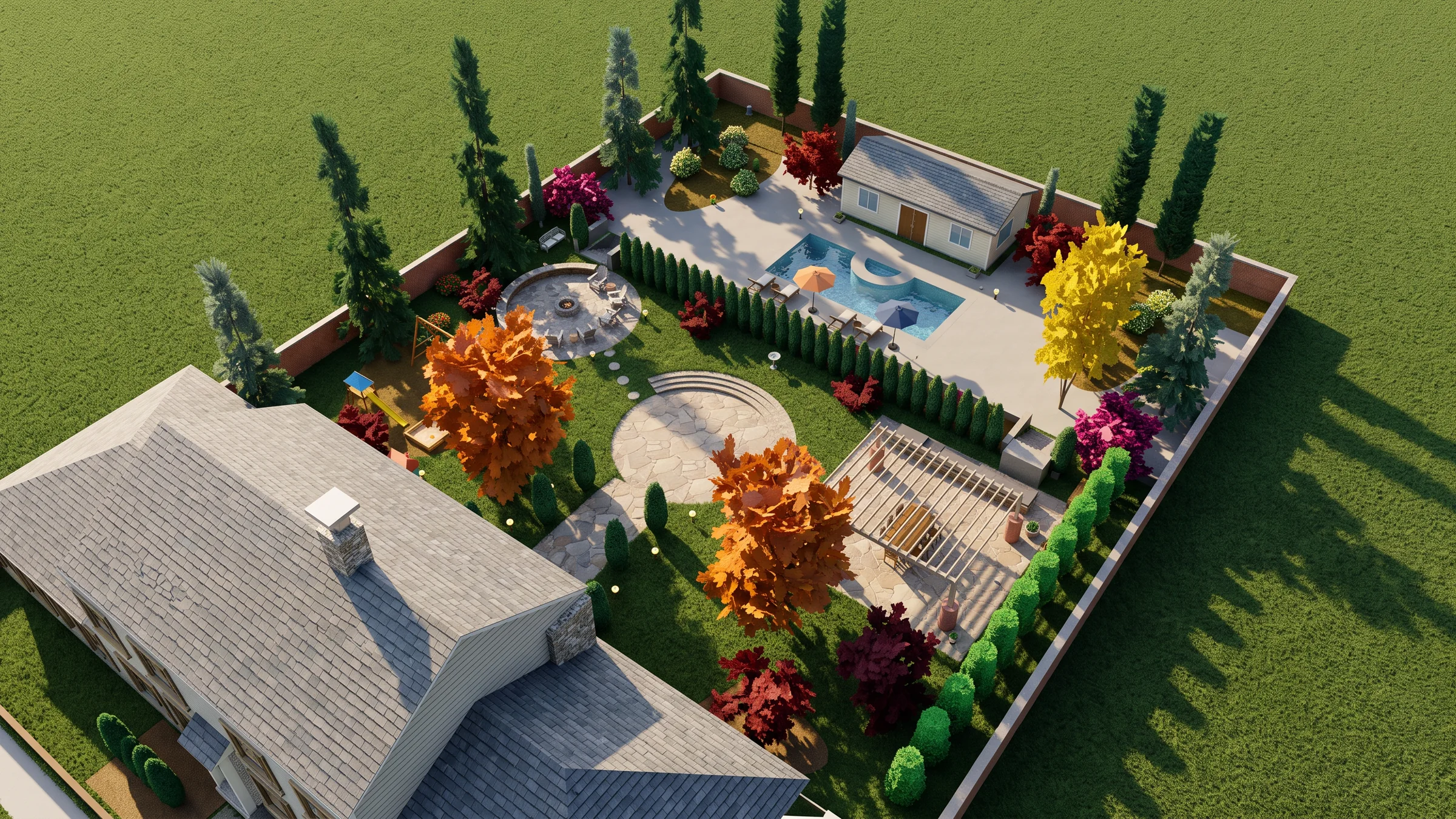
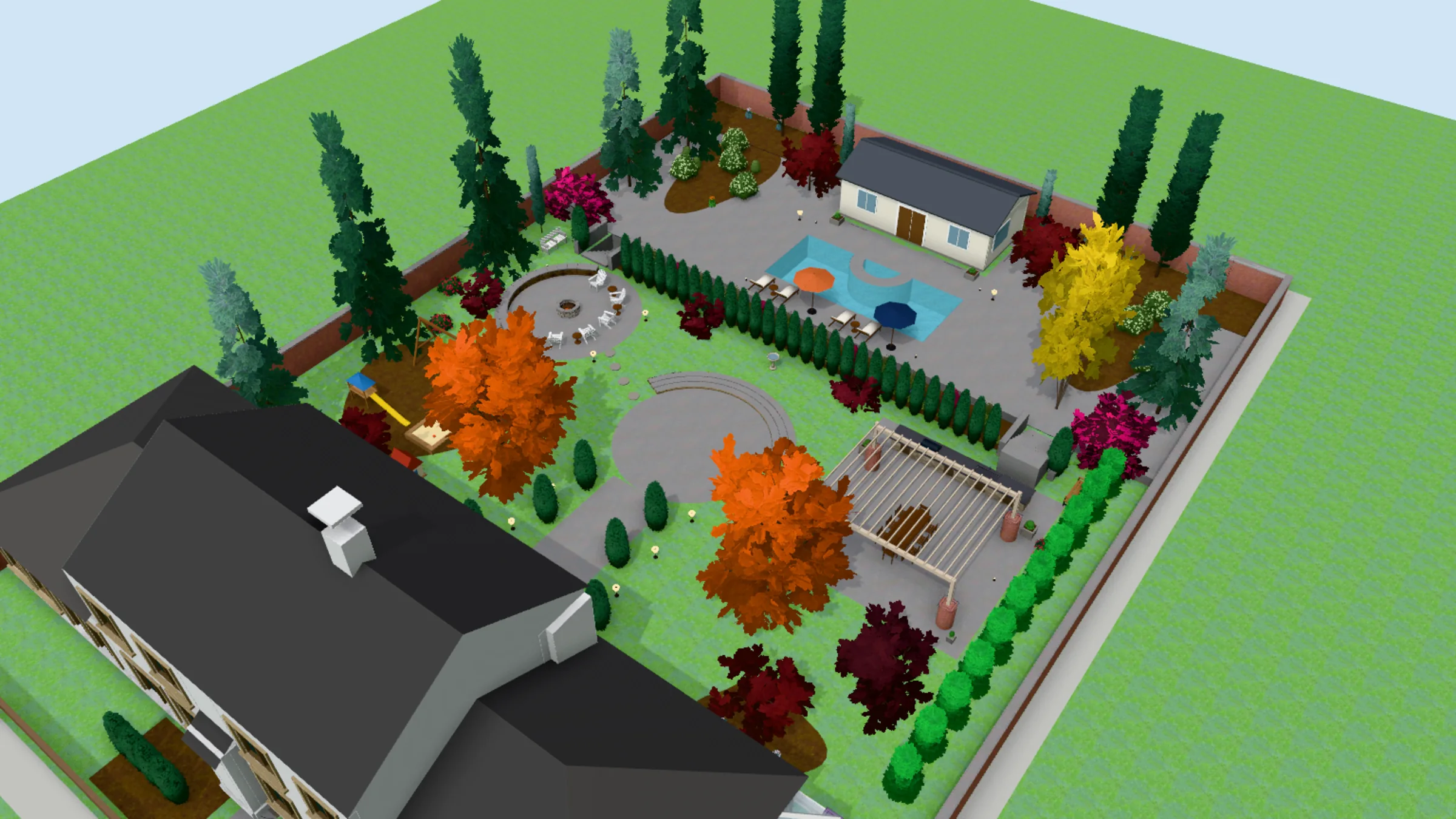 3D model
Render
3D model
Render
 3D model
Render
3D model
Render
 3D model
Render
3D model
Render
A screenshot is a picture of your design. The .dwg is the design itself: real units, a layer for every kind of thing, every tree placed by name. Hadaa CAD Engine builds the garden straight from it, and lists every height and roof it chose before you spend a credit. From it, Hadaa builds the garden — beds, paths, walls, fences, trees and the house — as a 3D model you can turn, slide and zoom from 20° above the ground to straight above. What each thing is made of is read from the drawing’s labels and hatches, and you can change any of it by clicking the model.
Then it renders: five recommended views — the plan and all four sides — or a shot you frame yourself, and Walk Around puts the design into a photo you took on site. Every view is measured against your drawing — 27 kinds of thing, among them the roof, paving, trees, fence, water and lawn — and made again, up to 3 times, until it matches. The verdict is shown under every render. A V-Ray render shows the model as somebody built it; this one is held to the drawing.
Reading the drawing, the 3D model, edits and materials are included in Signature Studio. Credits go on the images: 9 an image, 15 in high detail, and a checked view takes 1–3 images. A view we can’t make costs you nothing.
Where it stops: Hadaa leaves your DWG exactly as you drew it and doesn’t draft. A design that exists only in your head, or a fly-through video, is SketchUp and V-Ray’s ground, covered below.
Bottom line
If the design is already drawn, the model SketchUp would make you build is already in the file. Hadaa reads it and renders it, checked against the drawing.
See Your DWG Rendered →Where SketchUp + V-Ray Still Win
Credit where it’s due: SketchUp is the most widely used 3D modeller in landscape and architecture, and V-Ray is one of the finest photorealistic renderers there is. Together they can make a picture of anything someone can model — a design nobody has drawn yet, a detail no plan carries, a sunset fly-through for the client. SketchUp Pro comes with LayOut for drawing sets, and V-Ray gives full control of every light, camera and material.
The price of that freedom is the model. A DWG imports into SketchUp Pro as linework, so the garden has to be built over it by hand, and the render is only as true to the plan as the person who built it. On pricing, as listed on SketchUp’s plans page in October 2026 and billed annually: Go $129 a year (web and iPad, no desktop app), Pro $399 a year (desktop and LayOut) and Studio about $859 a year (Windows, V-Ray included). As listed on Chaos’s pricing page: V-Ray Solo $540 a year, Premium $778.80 and Collection $1,210.80.
Where SketchUp + V-Ray fit — and where they don’t
- Genuinely better: modelling anything, including designs that aren't drawn yet
- Genuinely better: full control of light, materials and cameras, plus animation
- Genuinely better: drawing sets in LayOut
- Not built for: reading a landscape DWG into a 3D garden on its own
- Not built for: checking a render against the plan it came from
- Requires a trained operator and the modelling time on every project
5 Key Differences
Five things that change what you end up with — three where Hadaa comes out ahead for a drawn landscape plan, and two where SketchUp and V-Ray genuinely win.
Hadaa starts from the drawing; SketchUp starts from an empty model
Hadaa reads the .dwg’s layers, blocks, labels and levels and builds the 3D garden from them. In SketchUp the plan is a tracing guide and the garden is rebuilt on top of it. The consequence: the plan you already drew is the whole input, and nothing is drawn twice.
The render is held to the plan
Each Hadaa view is measured against the drawing it came from and made again until it matches, and the verdict is shown under the render. A V-Ray render is faithful to the model, right or wrong. The consequence: a tree that went missing is named, not discovered by the client.
The person who drew it can make the picture
There is no scene to set up and no renderer to learn: upload the .dwg, turn the model, generate the views. The consequence: the designer can show the client a photograph without booking a visualiser.
Modelling and render control: SketchUp + V-Ray win
Credit where it’s due. To model what isn’t drawn, light a scene by hand or render a walkthrough, SketchUp and V-Ray do it, and do it well. Hadaa starts where your drawing already is.
Software price: SketchUp + V-Ray win
SketchUp Pro and V-Ray Solo are $939 a year together, and SketchUp Studio about $859 with V-Ray in it; Signature Studio is $1,990 a year. What the cheaper stack leaves out is the modelling time on every project.
Pricing Comparison
| Tier | Hadaa | SketchUp + V-Ray |
|---|---|---|
| Entry | Pro Studio $39/month — photo and sketch engines; CAD ↔ Photo is not included | SketchUp Go $129/yr (web and iPad, no desktop) |
| DWG to photograph | Signature Studio $199/month or $1,990/year — CAD ↔ Photo, 2,000 credits a month | SketchUp Pro $399/yr + V-Ray Solo $540/yr |
| Bundled | Reading, the 3D model, edits and materials included; credits go on images (9, or 15 in high detail) | SketchUp Studio about $859/yr (Windows, V-Ray included) |
| Floating licences | No team plan — each designer subscribes on their own | V-Ray Premium $778.80/yr · Collection $1,210.80/yr |
| What you're paying for | A photograph of your drawing, checked against it | Modelling and rendering software; the model is your work |
SketchUp and V-Ray prices as listed on SketchUp’s plans and pricing page and Chaos’s pricing page, October 2026, billed annually, before tax.
Key pricing observation: on software alone, SketchUp and V-Ray cost less than Signature Studio. The line that isn’t on either price list is the model: every plan has to be rebuilt in 3D, dressed and lit before V-Ray renders a frame. Signature Studio reads that model out of the DWG you already drew, and its 2,000 credits a month pay for the images.
Who Should Use Each
Use Hadaa if…
- → Your designs are drawn in AutoCAD or another tool that saves a .dwg
- → You want the plan you drew rendered as a photograph, not rebuilt as a model
- → You want every render checked against the drawing
- → You want to put the design into a photo of the client's own site
- → You don't want to learn, or hire, a modeller and a renderer
Use SketchUp + V-Ray if…
- → You design in 3D from the start, not from a drawn plan
- → You need to model details or structures no plan carries
- → You want hands-on control of light, materials and cameras
- → You deliver animations, walkthroughs or panoramas
- → You or your team already run SketchUp and V-Ray every day
Frequently Asked Questions
Can Hadaa render a DWG without building a SketchUp model? ▼
Is SketchUp with V-Ray or Hadaa better for landscape renders? ▼
How much do SketchUp, V-Ray and Hadaa cost? ▼
Does SketchUp import DWG files? ▼
What does SketchUp with V-Ray do that Hadaa doesn't? ▼
How does Hadaa handle a DWG that isn't perfect? ▼
Can I use both? ▼
Verdict
If your design is already a DWG, Hadaa is the shorter road to a photograph. SketchUp and V-Ray can make a beautiful image of a landscape plan, but only after someone rebuilds the plan as a model. Hadaa’s CAD ↔ Photo reads the drawing, builds the garden in 3D with the house, and renders it — checked against the drawing, with every height and roof it chose listed first.
Keep SketchUp and V-Ray for what a drawing can’t hold. Free-form modelling, hand-tuned lighting, animation and drawing sets in LayOut are theirs. Many studios will run both: SketchUp for the bespoke model, Hadaa for every plan that is ready to be seen.
Related
Lumion vs Hadaa: Render a Landscape DWG Without Modelling
hadaa.app /compare/hadaa-vs-lumion
Vectorworks Landmark vs Hadaa: From DWG Plan to Photo
hadaa.app /compare/hadaa-vs-vectorworks-landmark
DWG to Render: Your AutoCAD Plan as a Photograph
hadaa.app /dwg-to-render
The Hadaa Standard for Landscape DWGs: Draw a Landscape DWG That Renders Right
hadaa.app /dwg-landscape-drawing-guide
AutoCAD Landscape Rendering From the DWG
hadaa.app /blog/autocad-landscape-rendering-dwg