
Best AI Landscape Design Apps in 2026: 11 Tools Tested, Ranked, and Compared
We tested 11 landscape design apps across every category — AI photo-to-render generators, AR plant placement apps, 2D/3D drag-and-drop planners, and professional desktop software — and evaluated each against the same criteria: time to first result, learning curve, free tier honesty, USDA zone accuracy, and whether it produces a planting guide, contractor blueprint, or bill of quantities.

Quick Answer
- Fastest result, no learning curve: Hadaa Garden Autopilot — under 60 seconds, up to 22 renders, from $9 per render (a single render is $12); a blueprint and planting guide come with Project Studio or the $59 Project Pass for a single client job.
- Have a sketch instead of a photo: Hadaa Sketch Autopilot — upload any drawing, get four photorealistic renders automatically, from $9 per render.
- Best for professional landscapers: Hadaa Pro Studio ($39 a month) — all 5 engines, Sketch Engine, 4K export, commercial licence, white-label blueprints; PRO Landscape for on-site iPad AR.
- Best iPhone AR plant placement: iScape (4M+ downloads, 4.6 stars).
- Best for Android: Remodel AI or Planner 5D.
- Best completely free: GARDENA myGarden Planner — no download, full product, includes irrigation design.
- Only tool with zone verification + Planting Guide + Blueprint: Hadaa.
Disclosure: Hadaa is our product. It appears in this list because it genuinely belongs here — but we’ve rated every other tool as honestly as we’d want a competitor to rate us.
Best AI Tool for Landscape Design
The best AI tool for landscape design is Hadaa: upload photos of your yard and Garden Autopilot returns up to 22 photorealistic renders — 12 designs across 4 styles, a best-light image for each favourite, then the edits you ask for — from $9 per render, no subscription. A USDA zone-verified planting guide, a contractor blueprint and a bill of quantities come with Project Studio or the $59 Project Pass for a single client job. Among the best AI tools for landscape design, Remodel AI is the strongest photo-to-render alternative, iScape leads iPhone AR plant placement, and GARDENA myGarden is the best free planner.
All 11 Apps — click to jump
- 1 Hadaa Best overall · AI autopilot #1
- 2 Remodel AI AI photo-to-render
- 3 iScape Best AR · iPhone
- 4 DreamzAR Best AR · Android
- 5 Planner 5D Best all-purpose planner
- 6 Home Outside Native plant design · iOS
- 7 GARDENA myGarden Best free · irrigation
- 8 Realtime Landscaping Pro Best pro desktop · Windows
- 9 PRO Landscape Best pro · mobile AR
- 10 SketchUp Free Best 3D modelling
- 11 DreamPlan Best budget desktop
How We Evaluated These Tools
Every tool was tested with the same input: a standard suburban backyard photo and a brief (jasmine-covered pergola, gravel path, cottage-style planting). We scored each tool across nine criteria:
- Time to first usable result — from sign-up to an image you could show someone
- Learning curve — None / Low / Medium / High / Very high
- Free tier honesty — exactly what you can do without a payment method on file
- Output quality — photorealism, spatial accuracy, design coherence
- Hardiness zone awareness — does the tool verify plants will survive your local climate?
- Planting Guide — species-level schedule with quantities and care notes?
- Contractor Blueprint — print-ready plan a landscaper can quote from?
- Bill of Quantities — materials, volumes, and cost estimates?
- Audience suitability — homeowners vs. professional landscapers vs. contractors
Comparison Tables
Scroll horizontally on mobile.
At a Glance
| Tool | Best For | Time to First Result | Learning Curve | Starting Price | Free Tier |
|---|---|---|---|---|---|
| Hadaa | Homeowners + professionals | < 60 seconds | None | From $9/render | ❌ No — paid per render |
| Remodel AI | Homeowners | < 60 seconds | None | $9/mo (sub) | ✅ 1 free render |
| iScape | iPhone homeowners + pros | ~10 min | Low | $29.99/mo | ✅ Limited |
| DreamzAR | Android AR | ~5 min | Low | Free / $4.99 | ✅ Yes |
| Planner 5D | Beginners, all-purpose | ~30 min | Medium | $7.99/mo | ✅ Basic |
| Home Outside | Native plant gardeners | ~45 min | Medium | $9.99/mo | ✅ Zones 5–9 |
| GARDENA myGarden | Irrigation planning | ~20 min | Low | Free | ✅ Full product |
| Realtime Landscaping Pro | Windows professionals | Days | High | $279 one-time | ✅ 30-day trial |
| PRO Landscape | Professional contractors | Days | High | $75/mo | ❌ No |
| SketchUp Free | 3D modelling experts | Weeks | Very high | Free / $349/yr | ✅ Limited |
| DreamPlan | Budget desktop | ~2 hours | Medium | ~$35 one-time | ✅ Yes |
Feature Matrix — What Each Tool Actually Delivers
| Feature | Hadaa | Remodel AI | iScape | Planner 5D | Home Outside | PRO Landscape | Realtime LP |
|---|---|---|---|---|---|---|---|
| AI photo-to-render | ✅ | ✅ | ❌ | ❌ | ❌ | ✅ Partial | ❌ |
| Sketch-to-render | ✅ | ❌ | ❌ | ❌ | ❌ | ❌ | ❌ |
| Automated pipeline (no manual steps) | ✅ | ❌ | ❌ | ❌ | ❌ | ❌ | ❌ |
| AR plant placement | ❌ | ❌ | ✅ | ❌ | ❌ | ✅ | ❌ |
| 2D/3D drag-and-drop planner | ❌ | ❌ | ❌ | ✅ | ✅ | ✅ | ✅ |
| USDA hardiness zone verification | ✅ | ❌ | ❌ | ❌ | ✅ Zones 5–9 | ❌ | ❌ |
| Planting Guide PDF | ✅ | ❌ | ❌ | ❌ | ❌ | ✅ | ✅ Manual |
| Contractor Blueprint | ✅ | ❌ | ✅ Partial | ❌ | ❌ | ✅ | ✅ |
| Bill of Quantities | ✅ | ❌ | ❌ | ❌ | ❌ | ✅ Partial | ✅ |
| Seasonal previews | ✅ | ❌ | ❌ | ❌ | ❌ | ❌ | ✅ Partial |
| Multiple camera angles | ✅ 8 auto | ❌ | ✅ Manual | ✅ Manual | ❌ | ✅ Manual | ✅ Manual |
| No subscription option | ✅ $9 | ❌ | ❌ | ❌ | ❌ | ❌ | ✅ $279 |
| No design experience required | ✅ | ✅ | ✅ | ❌ | ✅ | ❌ | ❌ |
AI Photo-to-Render Tools
The fastest-growing category in landscape design. Upload a photo of your actual garden, describe what you want, and these tools generate a photorealistic render. No drawing, no drag-and-drop, no learning curve. This is the category most competitor reviews either ignore entirely or treat as an afterthought.
1. Hadaa — Best AI Landscape Design App Overall


Hadaa is purpose-built for exterior landscape design — not interior design with a garden tab. Every engine was built for outdoor spaces, plant biology, and the gap between “I have a photo” and “I have a contractor-ready plan.”
Hadaa operates as two distinct products depending on who is using it.
For homeowners — Garden Autopilot (from $9 per render): the most complete automated design pipeline in the category. Upload 1–20 photos, describe your style, and the pipeline takes over: 12 designs are rendered across the 4 styles you chose, you pick 4–6 favourites, each one is shot again at its best light, and then you ask for edits in plain words. Total output: up to 22 photorealistic renders. Pick fewer favourites and you keep more edit requests, because the 22 is one budget. A USDA zone-verified planting guide PDF, a colour-coded contractor blueprint and a bill of quantities come with Project Studio or the $59 Project Pass for a single client job — the automated photo run no longer produces them, because a measured plan needs the whole-plot view a set of eye-level photographs cannot give. No learning curve, no design experience needed.
For homeowners with a sketch — Sketch Autopilot (from $9 per render): the same zero-effort approach from a drawing. Upload a napkin sketch, iPad plan, or CAD plan image, add a plain-text brief in any language, and the AI runs a two-phase agentic pipeline: Phase 1 produces two renders focused on materials and structural accuracy; Phase 2 automatically generates two variation renders (different season, alternate materials, shifted angle). Four photorealistic renders from one upload, zero manual iteration between them.
For professional landscapers — Pro Studio ($39 a month, cancel any time): independent access to all five engines for professionals who want full creative control. Pro Studio includes every engine, including the Sketch Engine, plus 4K export, commercial licence, and white-label client-branded PDF exports: 48+ style presets with a precision masking brush (protect existing trees, patios, or structures while redesigning everything else); Smart Fix for plain-text edits; Quick Actions for diagnostics and atmospheric previews; and Change Viewpoint for aerial synthesis from 4–14 photos.
The Biological Engine is the core differentiator no competitor has replicated: every plant in every Hadaa design is cross-referenced against your USDA hardiness zone, local rainfall averages, and frost dates before it appears. Generic AI tools suggest tropical palms in Minnesota. Hadaa won’t.
Verdict
The most complete AI landscape design tool in this category by a significant margin. Garden Autopilot and Sketch Autopilot have no equivalent in any competing product. From $9 per render (a single render is $12) with no subscription, the barrier to starting is lower than any tool in this list.
Start your first design →2. Remodel AI — Best for Backyard Photo Transformation

Remodel AI applies the interior design photo-transformation workflow to outdoor spaces: upload a photo, choose a style, get a transformed render in about 10 seconds. Results are solid, particularly for large open yards. The iOS and Android apps make it the most accessible AI render tool on mobile.
The limitation worth noting: Remodel AI started as an interior design product and added outdoor spaces. Models trained primarily on interiors sometimes handle the three-dimensionality of outdoor environments — slopes, uneven terrain, structural fencing — less precisely than a tool trained specifically on landscape photography.
At $9/month, it’s the most affordable monthly subscription in this category and a reasonable second opinion tool alongside Hadaa.
Verdict
A strong second option for AI photo-to-render. Best for flat, open yards. No planting guide, blueprint, or zone verification — renders are inspiration-only with no actionable outputs.
AR Plant Placement Apps
These tools use your phone’s camera to overlay plants and garden elements onto your real garden in augmented reality. Invaluable for evaluating whether a specific tree or shrub works in a specific spot. Less useful as a full design tool.
3. iScape — Best AR Landscape App for iPhone
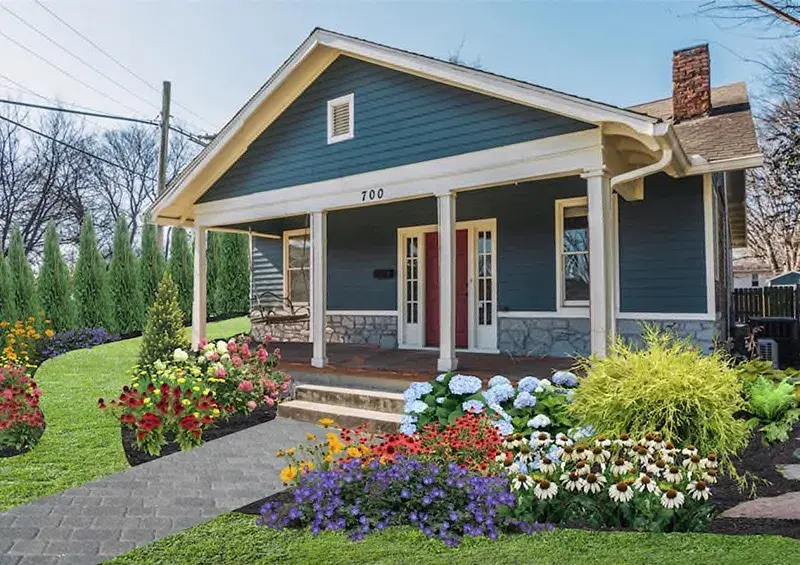
iScape is the most mature and most used app in this category, with close to 4 million downloads and a 4.6 App Store rating — the most credible independent signal of user satisfaction in this entire list. The 3D AR mode, where you can walk through a virtual version of your redesigned garden, is the product’s best feature.
The business-facing tools — proposal builder, client sharing — make iScape one of the few apps that professional landscapers actually use with clients. Generating a PDF proposal with design renders and plant specs in a single session is a genuinely differentiated feature for the professional segment.
Critical limitation: iOS only. Android users have no path to iScape.
Verdict
The best AR plant placement tool. Best for iPhone homeowners evaluating specific plants in their real space, and for professionals building client proposals. No zone verification or planting guide — a visualisation tool, not a design system.
4. DreamzAR — Best AR Garden App for Android

DreamzAR fills the Android gap iScape leaves entirely open. AR placement works on most modern Android devices and the plant library, while smaller than iScape’s, covers the most commonly planted garden species. At $4.99 for a one-time unlock of the full feature set, it’s one of the best value propositions in this category.
Verdict
The default choice for Android users wanting AR plant visualisation. Doesn’t match iScape’s depth, but it’s the best available option for that platform at a fair one-time price.
2D/3D Drag-and-Drop Planners
A digital canvas where you drop in plant symbols, draw borders, and place structures. Powerful once you learn them — most require 2–4 hours before producing something useful. Where they win: precision. If you know you want a 4×3m raised bed in the northeast corner, these tools execute to spec. AI photo-to-render tools approximate; drag-and-drop tools deliver exact layouts.
If you want a result in under an hour with no design experience, start with Hadaa instead.
5. Planner 5D — Best All-Purpose Beginner Garden Planner
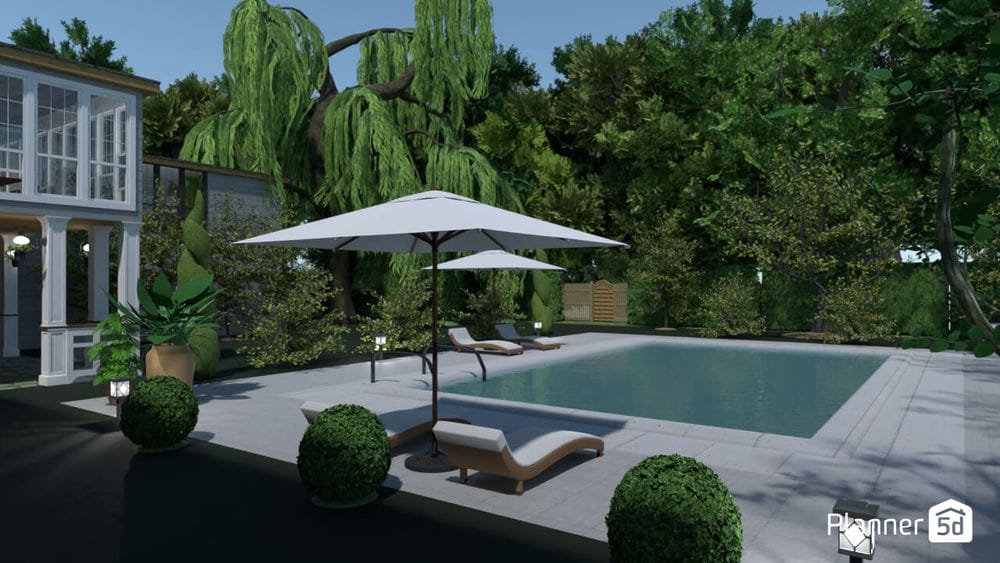
Planner 5D is the most platform-versatile tool in this list — web, iOS, Android, Windows, macOS, even Apple Vision Pro. Its dual outdoor/indoor capability lets you design the garden and the conservatory it flows into in the same session. The library covers plants, trees, patios, decks, pools, pergolas, fences, and garden furniture.
The free tier is noticeably limited. Serious garden design requires a subscription. At $7.99/month or $69.99/year it’s the lowest-priced full-featured option in this category.
Verdict
Best starting point for homeowners who want a full-featured planner at a fair price and who also design interior spaces. Platform flexibility is genuinely useful. No actionable outputs beyond the design itself.
6. Home Outside — Best for Native Plant Garden Design

Built by a landscape designer. Where other tools treat plants as visual objects to drag around, Home Outside builds around planting plans — regionally appropriate plants (zones 5–9), accurate spacing and growth habits, and design guides grounded in real horticultural practice. If you care whether your design will actually work once planted, this is the most honest tool in the drag-and-drop category.
Hard limits: iOS only, zones 5–9 only, no 3D rendering. Zones outside that range aren’t supported at all.
Verdict
The most botanically credible drag-and-drop planner. Ideal for serious gardeners in zones 5–9 who want ecological accuracy over visual spectacle. Too limited in scope for most users.
7. GARDENA myGarden Planner — Best Completely Free Web Planner

One of the most underrated tools in the category. Completely free, no download, runs in any browser. Its unique feature: automatic irrigation design. Draw your garden, place beds and lawn areas, and the tool calculates optimal sprinkler placement, generates a complete piping layout, and produces a shopping list for GARDENA irrigation components. No other tool in this list does this.
Design capabilities are modest — no 3D rendering, smaller plant library than Planner 5D — but for a free tool it is genuinely remarkable.
Verdict
The best free option in this category. If you are also planning an irrigation system, it is the only tool you need.
Professional Desktop Software
Not for casual homeowners. Built for landscape architects and contractors who need accurate technical drawings, client presentations, and contractor-grade cost estimates. Learning curves measured in days. Outputs, once you are productive, are categorically better than consumer tools for precision work. The price tags match.
If you are billing for the output, the professional cut of this question is a different one — how fast a tool gets you from consultation to a client’s yes, and what it costs you over a year. Our 7 AI landscape design tools ranked by speed to approval answers that one. For the wider desktop and CAD landscape, see our roundup of the best landscape design software for 2026.
Several tools in this section are Windows-only. If you are on a Mac, our guide to landscape design software for Mac covers exactly which of these run natively on Apple Silicon and which to avoid.
8. Realtime Landscaping Pro — Best Professional Desktop Tool

Earns the top professional spot for one specific reason: no subscription. $279 one-time for a perpetual license — 18,000+ objects, 660+ plants with growth data, real-time 3D walkthroughs, and lighting simulation. The 2026 update introduced physically-based rendering materials, meaningfully improving hardscape texture quality.
Critical limitation: Windows only. Mac users cannot use this tool at all.
Verdict
Best value in professional landscape design software for Windows users. Perpetual licensing is increasingly rare and genuinely valuable. Mac users need to look elsewhere.
9. PRO Landscape — Best Professional Tool with Mobile App

PRO Landscape’s key differentiator: mobile-first client presentation workflow. Take an iPad to a client’s garden, photograph the existing space, overlay a proposed design in AR, and run a full proposal presentation on-site. Most professional desktop tools require a conference room; PRO Landscape works in the client’s driveway.
At $75/month it’s significantly more expensive than Realtime Landscaping Pro, but the subscription includes mobile access, cloud sync, and regular library updates that a one-time license doesn’t.
Verdict
The best professional tool for landscapers whose primary value is client-facing presentations at the job site. The mobile AR workflow is unique at this level. Expensive for what is still a subscription.
10. SketchUp Free — Best Free 3D Modelling Tool

The highest-capability free tool in the professional category — and the steepest learning curve in this entire list. SketchUp is a general 3D modelling tool, not a landscape-specific application. Using it for garden design requires significant prior 3D modelling experience or weeks of learning. What you get for that investment: complete control. No plant library limits, no fixed catalogue — everything modelled from scratch or imported from 3D Warehouse.
Verdict
Powerful enough to design anything; accessible only if you already know 3D modelling. For homeowners, it’s almost certainly too much. For architects who already live in SketchUp, it’s the natural choice.
11. DreamPlan — Best Budget Desktop Option

More capable than a mobile planner, less expensive and complex than Realtime Landscaping Pro. The ~$35 one-time purchase is the most affordable fully-featured desktop option. The interface shows its age but the core features — 2D planning, 3D preview, interior and exterior in one tool — are genuinely useful. Mac and Windows compatibility is the widest platform coverage of any desktop tool here.
Verdict
If you want a desktop landscape planner with no subscription, DreamPlan at ~$35 is hard to argue with. No actionable outputs beyond the design itself.
Three Free Tools That Appeared in 2026
The eleven tools above were each put through the same test on the same yard photo. These three were not — they arrived after that round of testing, and we are listing what they publish about themselves rather than what we have measured. We are naming them because they now sit on the first page for this search, and a 2026 list that pretends they do not exist is not much use to you.
Photo in, styled render out in about 30 seconds. Its own site calls it “the #1 free AI landscape design tool” and offers fifteen free renders to contractors. It also publishes a set of calculators — landscape cost, mulch, paver, retaining wall, fence, pool volume — which are genuinely handy whichever tool you design in. It does not advertise a plant list, a planting schedule, a blueprint or any hardiness-zone checking.
The most direct challenge on this list, because it advertises the deliverables the paid tools charge for: a line-by-line budget quoted at plus or minus 15%, a design-build brief for contractors, and a “custom planting guide” of regional recommendations. It says no account is needed to start. Read the planting claim carefully, though — “regional recommendations tailored to your climate” is a looser promise than checking each species against your hardiness zone, rainfall and sun exposure, and the two fail in different ways when a plant does not come back in spring.
Worth understanding before you sign up: this is an architectural renderer, not a landscape tool. It converts sketches, floorplans and 3D models into photoreal images and plugs into SketchUp, Rhino, Revit, ArchiCAD, Vectorworks, Blender and AutoCAD, and its own use cases run from bathrooms and kitchens to gardens and backyards. If you have a CAD model it is a strong choice. If you have a photograph of your yard and no drawing, a photo-to-render tool will get you further faster.
A pattern worth naming, since it is now most of this search result: nearly every “best AI landscape design tool” list you will find is written by one of the tools, and the tool that wrote it wins. This page is no exception — Hadaa ranks first on it, and we built Hadaa. What we can do is show our working: the nine criteria and the single shared test photo are set out above, the prices are the ones each tool publishes, and where a rival does something better than us we have said so in its entry. Test two or three on your own yard before you commit to any of them, ours included.
Best AI Design Tool for Each Part of the Yard
Most of these tools redesign a whole scene at once, which makes them uneven when what you care about is one surface. A patio is a hardscape problem — geometry, jointing, drainage falls. A xeriscape is a plant-survival problem. A front yard is a composition problem judged from the street. Here is what to reach for in each case, and where each tool stops being the right one.
Backyard
Hadaa Garden Autopilot
The whole-yard case the category was built for, and the one where 12 directions across 4 styles beats one render you have to accept or discard. Remodel AI is the closest free-tier alternative if you only want to see a single direction before deciding whether any of this is for you.
Front yard and kerb appeal
Hadaa, then iScape
A front yard is judged from one fixed viewpoint — the pavement — so what matters is that the house, driveway and existing trees stay exactly where they are while the planting changes around them. Photo-to-render tools that hold the built structure fixed do this well. Use iScape afterwards to stand on the pavement and check a specific tree at a specific spot before you buy it.
Patio, paving and other hardscape
Realtime Landscaping Pro or PRO Landscape
This is where the photo-to-render tools are weakest and it is worth being blunt about it. A paver pattern is a measured, repeating geometry with a jointing decision and a fall for drainage; AI renderers will draw you something beautiful and dimensionally fictional. If you are laying it yourself or quoting it, use desktop software that works to real dimensions, or generate the look in a render and take the measurements off a plan. A bill of quantities is the thing to insist on here — paver area and base volume are what the invoice is made of.
Xeriscape and desert planting
Hadaa, with the zone check as the deciding feature
Xeriscape is the one surface where a pretty picture can cost you the whole planting. The failure mode is a render full of species that will not take your winter lows or your rainfall, and no render engine catches that on looks alone. Choose on whether plants are verified against your hardiness zone, rainfall and sun exposure rather than on image quality, and check any tool’s output against your own extension service’s list. Our desert landscape design guide covers the plant side in depth.
Planting borders and beds
Home Outside, or Hadaa for the render
Borders are a species-and-succession problem: heights, bloom times, what is still standing in February. Home Outside is the most botanically careful of the planners for zones 5–9. Use a photo-to-render tool to see the mass and the colour, then a planting schedule with quantities to actually buy it.
Whole property, including the parts you are keeping
Hadaa Pro Studio
The case nothing automated handles well: half the garden is staying and half is changing. What you need is the ability to mask off the trees, walls and structures that are not moving, and edit one object at a time, which is a Studio job rather than an autopilot one.
What Type of App Do You Actually Need?
You're a homeowner with a garden renovation in mind
Hadaa Garden Autopilot from $9 per render — upload photos, write a short brief, and get 12 designs across 4 styles, a best-light image for each favourite you pick, then the edits you ask for by name: up to 22 renders in all. No subscription, no learning curve (a single render is $12; $9 each when you buy 3 or more). A contractor blueprint and a zone-verified planting guide come with Project Studio or the $59 Project Pass for a single client job. If you have a sketch instead, Sketch Autopilot delivers four renders from one drawing automatically — same pricing.
You want to see whether a specific tree or hedge works in a specific spot
iScape (iPhone) or DreamzAR (Android). AR visualisation is the right tool for this narrow, specific use case.
You're a serious gardener who wants botanical accuracy
Home Outside if you're in zones 5–9. GARDENA myGarden if you also need irrigation planning. Both free or near-free.
You're a landscape designer or contractor
Hadaa Pro Studio — every engine (including Sketch Engine), 4K export, commercial licence, and white-label client-branded blueprints, for $39 a month. PRO Landscape if you additionally need on-site iPad AR. Realtime Landscaping Pro if you're Windows-based and want to own the software outright.
You have 3D modelling skills and want complete control
SketchUp Free to start. SketchUp Pro if you need full rendering quality and desktop performance.
You need a free, no-download, browser-based planner
GARDENA myGarden Planner — the full product is free.
The Real Cost of Getting This Wrong
Professional landscape design typically costs $1,000–$5,000 for a design plan alone, before a single plant goes in the ground. Installation adds $5,000–$30,000+ depending on scope.
The tools in this list exist not to replace that process but to make you a better client when you enter it — or to cut it out entirely for smaller projects. A homeowner who arrives at a landscape designer consultation with a Hadaa render saying “something like this, cottage style, with a gravel path here” gets a better outcome and a faster quote than one who arrives saying “I want it to feel natural but also modern.”
For smaller projects, the maths is simple. Hadaa’s Garden Autopilot starts at $12 for a single render — or $9 each when you buy three or more — one payment that delivers up to 22 photorealistic renders of your own garden, with no subscription. That is less than two plants from a garden centre, for a set of directions a professional landscape architect would charge $1,500 to explore. Project Studio, or the $59 Project Pass for a single client job, adds the zone-verified planting guide, the contractor blueprint and the bill of quantities.
Testing five different border approaches in Hadaa costs a few renders. Testing five approaches in your actual garden costs time, plants, and real money when something needs to be dug up and moved.
Frequently Asked Questions
What is the best AI landscape design app in 2026?
Can AI design my garden from a photo?
Is there a free landscape design app that's actually useful?
What is the best landscape design app for iPhone?
What is the best landscape design app for Android?
What landscape design software do professional landscapers use?
How much does professional landscape design software cost?
What is the difference between an AI landscape design app and a regular one?
Start your first AI landscape design
Garden Autopilot — up to 22 renders, from $9 each.
No subscription. No learning curve.
Upload photos of your yard. Get up to 22 photorealistic renders of your own garden — and the zone-verified planting guide, contractor blueprint and bill of quantities with Project Studio or the $59 Project Pass for a single client job. Pay per render — a single render is $12, or $9 each when you buy 3 or more — no subscription. For professionals, Pro Studio adds every engine, 4K export, and a commercial licence for $39 a month.


