


AI Landscape Design, Done in 60 Seconds — From a Single Photo of Your Yard
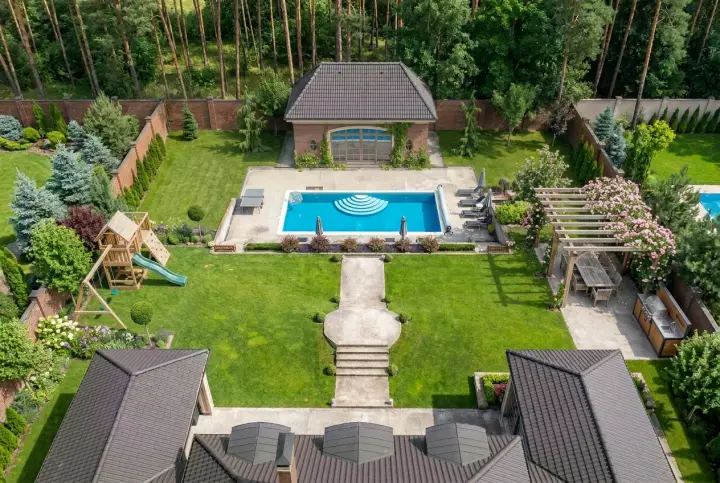
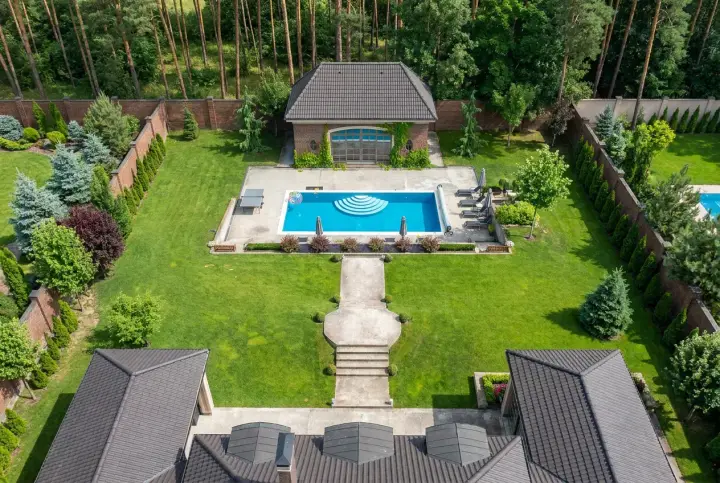
Upload a photo. See your own yard redesigned.
Upload photos of your yard — or even a rough sketch on the back of an envelope — and Garden Autopilot hands back up to 22 photorealistic designs of your own garden: twelve directions across four styles, your favourites shot at their best light, and the edits you ask for by name. One payment per project. Or take the controls yourself with Pro.

Three Ways to Redesign Your Yard — All Three End in a Buildable Plan
Whether you start from a photo, a sketch, or a blank canvas, every path delivers the same thing: a photorealistic design you can actually hand to a contractor.
A photo goes in. Twenty-two designs come out.
Upload a few shots of your yard and tell us the vibe you're after. Garden Autopilot handles everything from there — no steps to manage, no tools to pick, no design background required. You pick your favourites and say what to change; it does the rest.
- 1 Upload 4–20 photos of your yard from every angle
- 2 Describe your style — "low-maintenance cottage" or "modern with water feature"
- 3 Receive up to 22 renders: 12 designs across 4 styles, your favourites at their best light, then your own edits
Draw it. Describe it. Done.
Upload any drawing — a napkin sketch, an iPad plan, a CAD plan saved as an image — and add a sentence about what you want it to become. Sketch Autopilot takes over from there, returning 8 photorealistic renders: two faithful to your drawing, then six camera angles of the one you pick.
- 1 Upload your sketch — hand-drawn, iPad, or a plan image
- 2 Describe what you want — "Mediterranean courtyard with a fountain and terracotta paving"
- 3 Receive 8 photorealistic renders of your drawing — no 3D modeling needed
Every engine. Every edit. Your hands on the wheel.
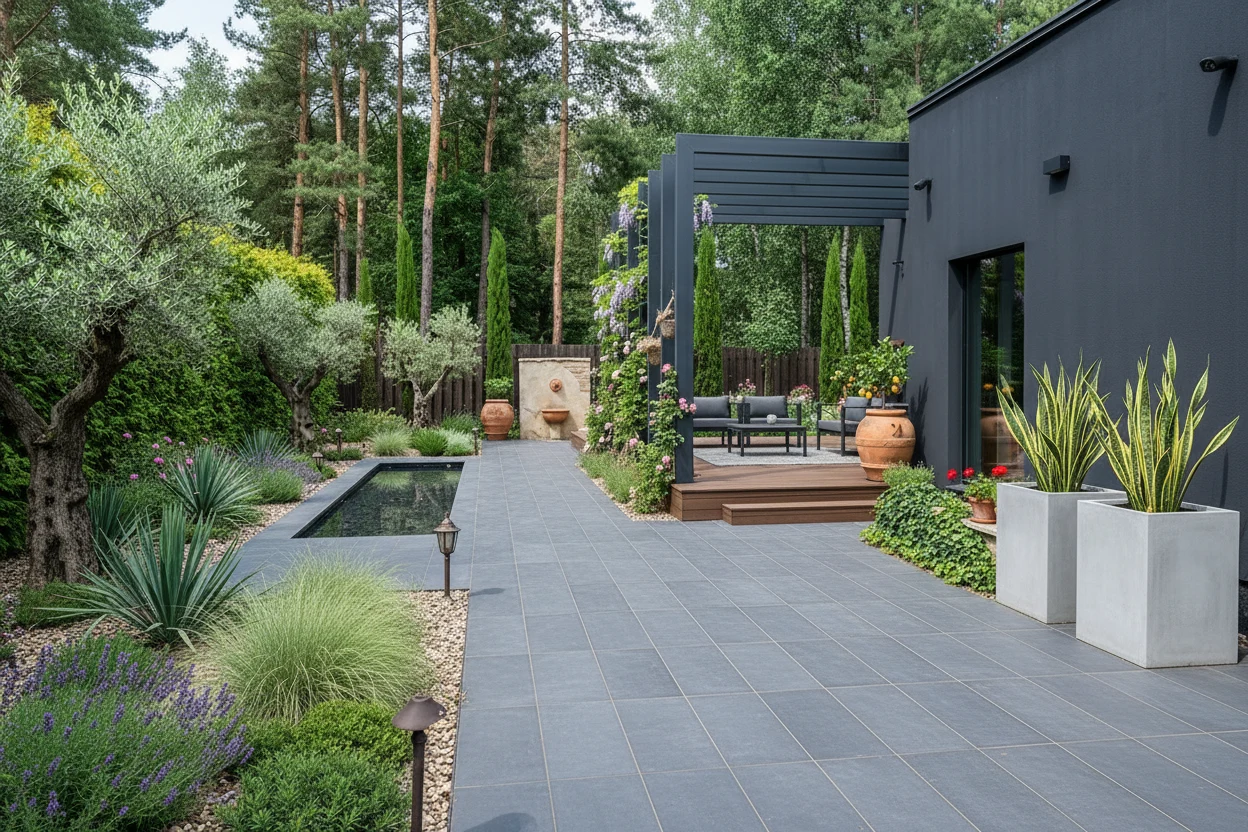 Modern
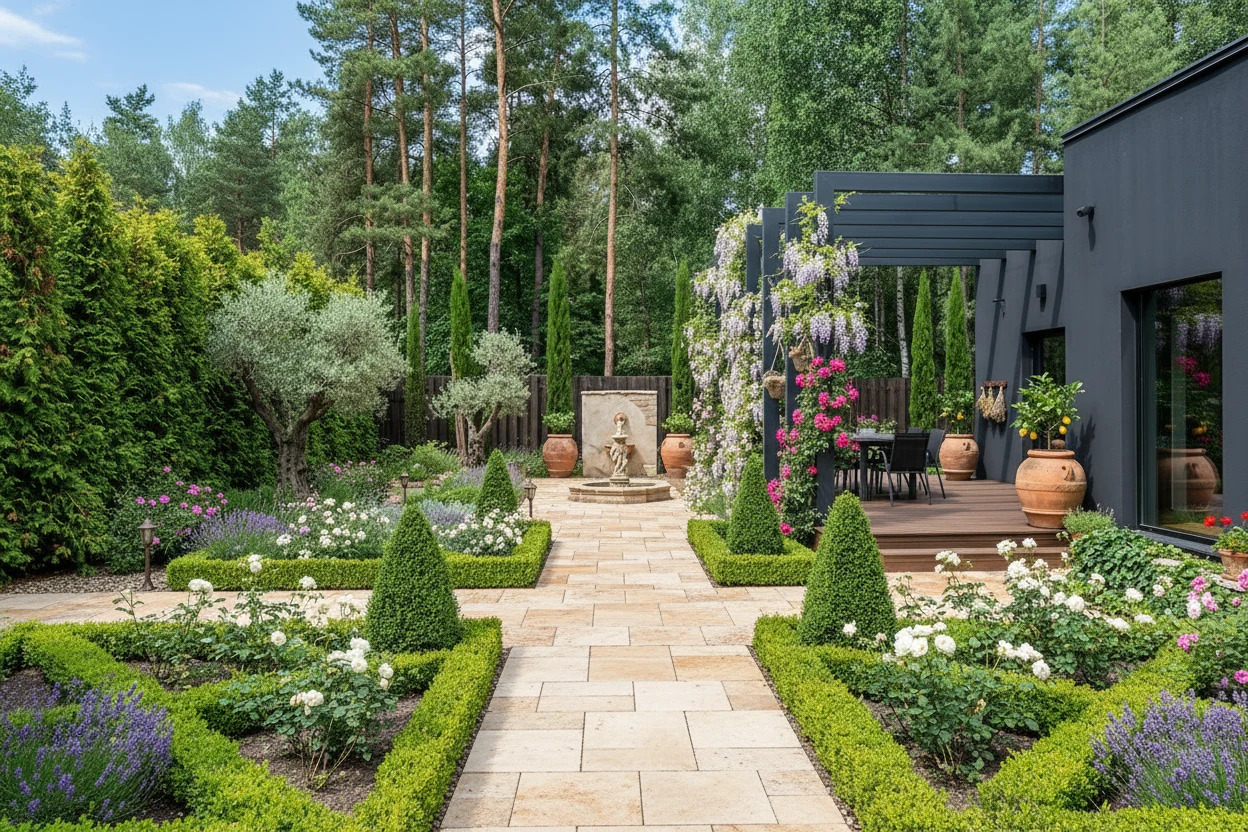 French
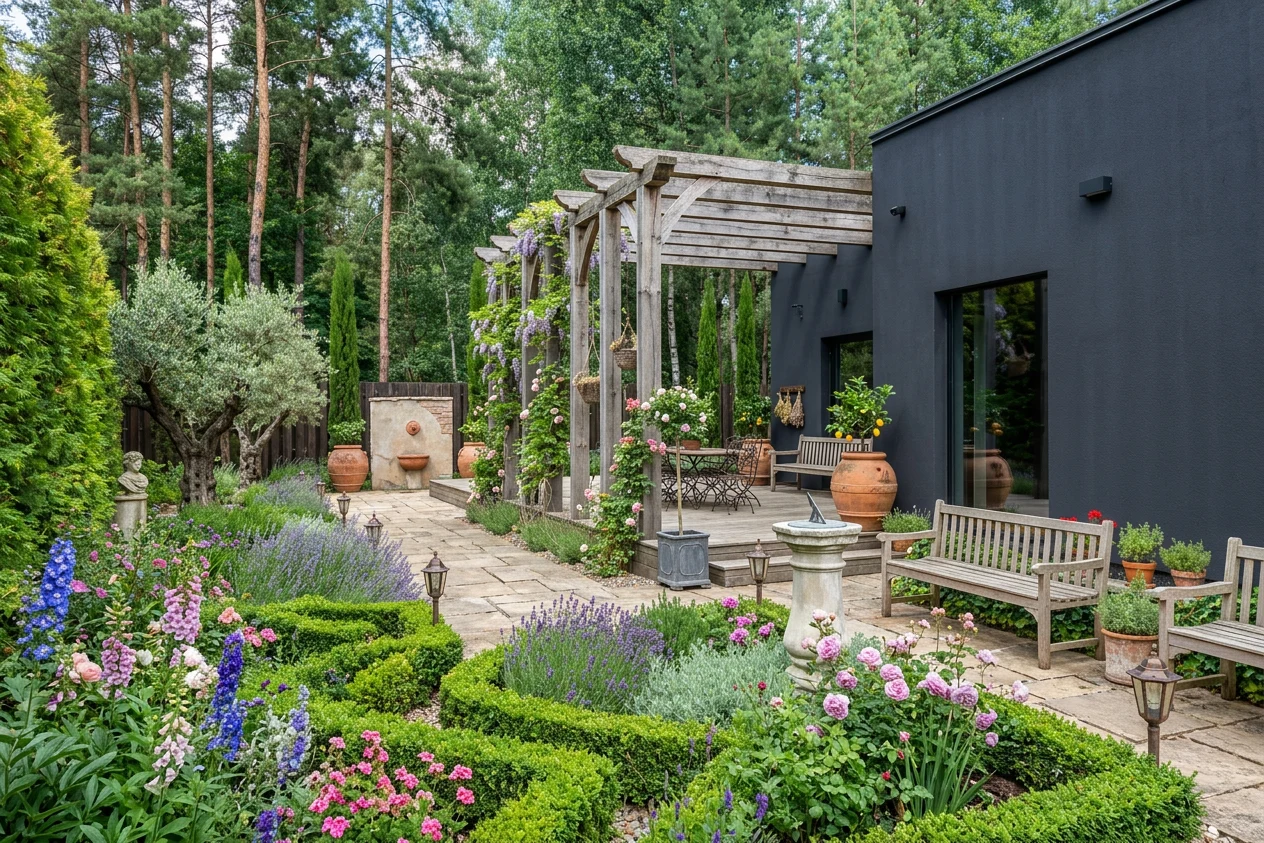 Country Estate
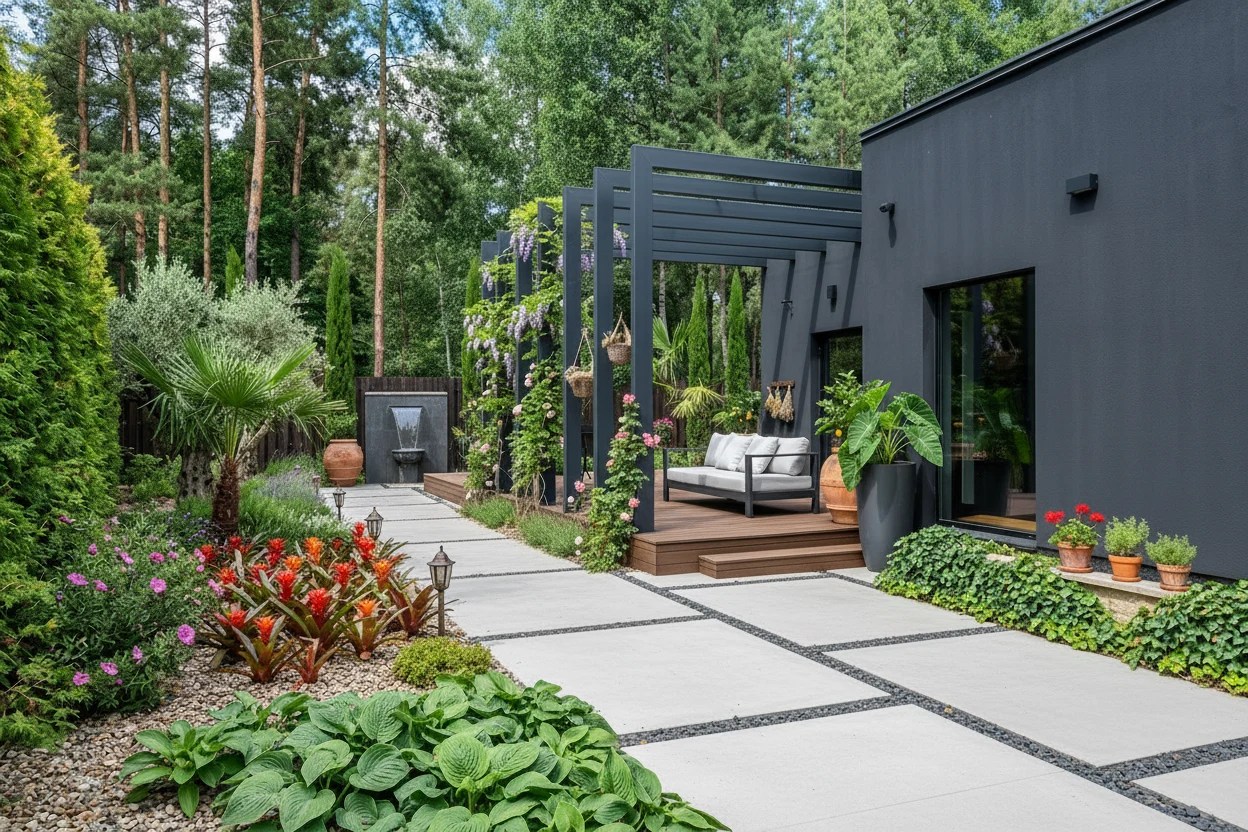 Tropical Modern
For designers and power users who'd rather drive than be driven. Reach every engine independently — mask and restyle with precision, edit by typing, run diagnostics, stitch an aerial map from multiple photos, or render straight from a sketch. The full studio, at your own pace.
- Style Presets — 48+ landscape design styles with masking brush
- Smart Fix — Detailed text edits — type exactly what to add, move, or remove
- Quick Actions — Auto-detect yard issues, preview seasons & lighting
- Change Viewpoint — Aerial synthesis from 4–14 photos, transfer to any angle
- Sketch Engine — Render any sketch or plan image into a photorealistic design
- No design experience needed
- Works for any yard size
- Used in 180+ countries
- $50M saved in gardening costs
- Pay per project or monthly
The receipts: real yards, real numbers
"I was quoted $5,000 just for a concept plan. Hadaa gave me 20 stunning variations and a shopping list for $10. I handed the printout to my contractor and we started digging the next day."
"I used to spend three days in SketchUp just to get a concept ready for a new client. Now I do it in 15 minutes during the discovery call. My close rate on new consultations has nearly doubled."
"I started putting the rendered version right next to the original in our listing deck — labelled 'potential.' Buyers can't unsee it. On three listings this quarter the yard upgrade was specifically mentioned in the offer letter."
"I had absolutely no idea what to do with my overgrown front yard. Within 10 minutes Hadaa showed me a modern minimalist curb appeal redesign I actually fell in love with — and it knew which plants would survive Austin summers without constant watering."

"Professional landscape architecture software costs thousands a year and still doesn't generate photorealistic renders this fast. I use Hadaa for client pitch decks and design iterations — it's become essential to my workflow in a way no other AI landscaping tool has."

"I've wanted a Japanese zen garden for years but could never visualize it in my actual space. The Style Engine nailed it — gravel paths, bamboo, stone lanterns placed exactly where my fence is. My contractor said it was the clearest brief he had ever received."

"I live in a Brooklyn brownstone with maybe 12 feet of outdoor space. I thought AI landscaping was only for people with huge yards. Hadaa designed my entire urban patio garden — plants, lighting, everything — in five minutes. Tiny space, but now it's perfect."

"My clients hire me for interiors but always ask about their outdoor spaces too. I started using Hadaa for terrace and courtyard concepts and now offer it as a standard service. The photorealistic landscape renders look like professional architectural photography."

"Our HOA has 47 homes and we needed a shared landscaping vision for common areas without spending $20,000 on an architect. Hadaa let us generate, compare, and vote on AI landscape designs in a single board meeting. Genuinely game-changing."

"I moved to Miami and wanted a full tropical backyard — birds of paradise, palms, the works. Every other AI tool slapped on generic plants. Hadaa actually knew which tropical species thrive in Zone 10b. My yard looks exactly like the render I approved."

"I had a hand-drawn layout sketch of my backyard and wanted to see it brought to life. The Sketch Engine converted it into a photorealistic landscape design in under two minutes. No other tool I tried could do that — they all just ignored my sketch entirely."

"I specialize in vacant land listings. Before Hadaa, buyers saw a patch of dirt. Now every listing includes a rendered landscape vision and I've had buyers specifically reference it in their offers. It pays for itself on the very first listing."

"I manage 12 rental properties and curb appeal directly affects my vacancy rate. Hadaa helps me plan seasonal upgrades and show prospective tenants what the grounds will look like after improvements. It makes budgeting conversations with owners so much easier."

"California drought restrictions made my old lawn landscaping impossible. Hadaa's Biological Engine suggested drought-tolerant native plants that actually save water and look gorgeous — better than my previous lawn ever did. It was exactly what I needed and didn't know existed."

"I design landscapes across three different USDA hardiness zones and managing plant compatibility used to take me hours of research per project. Hadaa's zone-aware design engine handles plant selection and flags anything that won't survive the local climate. It's genuinely brilliant."

"I took the PDF straight to my local nursery. The botanical names meant the staff knew exactly what I needed — in and out in 20 minutes."
"Finally an AI that didn't suggest palm trees for my Ohio backyard. Every plant on my list actually survived the winter."
"I uploaded a photo of my front yard and it flagged three plants wrong for my zone. The swap suggestions were spot on — I used the shopping list the same week."
Why Hadaa is the Best AI Landscape Design App
A professional landscape architect charges $1,500–$5,000 and takes 2–4 weeks to deliver drawings you still can't edit. Hadaa's AI landscape design delivers 22 photorealistic renders in under 60 seconds — complete with a planting guide, contractor-ready blueprint, and bill of quantities. No subscription required. Pay once per project.
Two automated pipelines handle everything for you. Garden Autopilot takes your yard photos and style preferences and runs the design process for you — 12 designs across your four chosen styles, a best-light image for each favourite you keep, then the edits you ask for in plain words. Up to 22 renders of your own garden. Sketch Autopilot does the same from any drawing — napkin sketch, iPad plan, or CAD plan image — paired with a text description: 8 renders, two faithful to the drawing and six camera angles of the one you choose. No 3D modeling. No design software. Just upload and describe.
Every plant in every design is verified against your USDA hardiness zone before it appears. Generic AI tools suggest tropical palms in Minnesota and bamboo in Arizona — plants that die the first winter. Hadaa's Biological Engine cross-references your location with USDA cold tolerance, regional rainfall, and sun exposure data. The result is an AI backyard design that looks stunning and actually survives where you live.
For professionals and power users who want full creative control, Pro Studio gives independent access to all five engines: 48+ style presets with precision masking, Smart Fix for detailed text edits ("add a pergola by the left fence with climbing roses"), Quick Actions for yard diagnostics and seasonal previews, Change Viewpoint for aerial synthesis from multiple photos, and the Sketch Engine for CAD-to-render workflows. Built for professionals who design every day.
48+ Styles, Applied to Your Yard — Not a Stock Photo
Every space is different and every homeowner has a picture in their head. Pick any aesthetic — from Japanese Zen to Desert Modern — and watch it land on a photo of your actual yard in seconds.

Alpine Garden
High-altitude and rugged
Rocky slopes, hardy perennials, and high-altitude plants that shrug off cold and wind. A rugged, mountain-born look that suits hillside lots and cool-climate yards.

Art Deco
Bold geometry and metallic accents
Bold geometry, metallic accents, and sharply clipped structural planting straight out of the 1920s. Period grandeur meets modern outdoor living.

Asian Fusion
Blended Eastern design traditions
Japanese structure, Chinese symbolism, and Balinese sensory richness drawn into one layered space of water, bamboo, and stone. For homeowners who want depth rather than a single note.

Balinese Garden
Exotic and spiritual
Exotic foliage, carved stone, and a sense of calm borrowed from Bali's villa gardens. Turns an ordinary backyard into a resort you don't have to fly to.

Bohemian Garden
Eclectic and free-spirited
Mismatched pots, trailing climbers, and layered outdoor living that follows no rulebook. Maximum personality from minimum budget — made for renters, small spaces, and anyone done with perfection.

Butterfly Garden
Nectar-rich and habitat-focused
Nectar-rich blooms and host plants chosen to carry butterflies through their full lifecycle. Every species earns its place, building a living habitat that's as lovely as it is useful.

Coastal & Nautical
Breezy and salt-tolerant
Ornamental grasses, sea-washed tones, and breezy textures built for salt and wind — whether you're beachside or just want to feel like it.

Contemporary Urban
Bold and architectural
Smart, compact design for city courtyards, rooftops, and tight urban lots, where every element has to earn its place. Maximum impact in minimum square footage, working vertically as well as across.

Cottage Garden
Charming and romantic
Tumbling perennials, climbing roses, and winding paths with no straight lines in sight. One of the most-searched looks in the world, ready in under a minute.

Country Estate
Formal and expansive
Manicured lawns, mature specimen trees, and formal garden rooms at the scale of a manor. A look defined by proportion and patience, best suited to larger properties with room to breathe.

Courtyard Garden
Intimate and enclosed
Enclosed outdoor living with vertical planting, a small water feature, and shade overhead. The most intimate look here, designed to be sat in rather than viewed from a distance.

Desert Southwest
Resilient and hardy
Agave, cacti, sun-bleached gravel, and native specimens that thrive in full sun and thin, dry soil. The water-wise answer for arid climates, with almost no irrigation needed once established.

Desert Modern
Contemporary arid design
Architectural cacti, raked decomposed granite, and a few bold specimens. Sculptural restraint for places where water is precious.

Drought Tolerant
Water-efficient and resilient
Low-water planting that stays full and colourful through dry spells and restrictions, without the irrigation bills. A broad palette that suits more climates than xeriscape and asks for less upkeep.

Edible Garden
Beautiful and productive
Raised beds, fruit trees, herbs, and vegetables woven into a garden that's as good to look at as it is to harvest. For homeowners who want their plot to earn its keep.

English Garden
Romantic and wild
Densely packed borders and soft, structured paths in the spirit of the great country estates. Loose abundance held together by a quiet framework.

Formal Garden
Structured and elegant
Clipped topiary, geometric beds, and mirror-image symmetry that frame the house and ground the architecture. For properties where elegance and precision are the whole point.

Four Season
Year-round interest and colour
Spring bulbs, summer blooms, autumn colour, and winter structure planned together so the yard never goes bare. A garden that holds interest through every month of the calendar.

Formal French Garden
Geometric and manicured
Clipped parterres, geometric symmetry, and the classical authority of Versailles, scaled to a residential plot. Built to be looked at, for formal architecture and a disciplined outdoor room.

Industrial Garden
Raw materials and structural planting
Raw Corten steel, weathered timber, and structural ornamental grasses that only improve as they weather. A look that turns urban density into a design feature, at home with warehouse conversions and contemporary builds.

Informal / Naturalistic
Natural and free-flowing
Free-flowing borders, self-seeding perennials, and organic paths that look like they grew over decades. The antidote to over-designed gardens, easy to live with and at home in rural and cottage settings.

Japanese Garden
Harmonious and symbolic
Gravel, stone, bamboo, and deliberate empty space. Borrowed scenery and seasonal symbolism, applied to the yard you actually have.

Wildflower Meadow
Unstructured and naturalistic
A naturalistic carpet of seasonal wildflower colour, dramatic from a distance and full of life up close. Regionally native species do the heavy lifting, making it the lowest-maintenance look here.

Mediterranean Terrace
Fragrant and relaxed
Terracotta, olive trees, lavender, warm stone. Thrives where it's dry, looks expensive everywhere — with species matched to your climate, from rosemary to cistus.

Mid-Century Modern
Retro geometry and clean lines
Atomic-age geometry, clean lawn lines, and bold architectural foliage with a very specific 1950s signature. Pairs naturally with mid-century and ranch-style homes, balancing structure and lushness.

Modern Minimalist
Clean minimalist
Clean lines, structured planting, gravel, and architectural accents. Maximum impact, minimum upkeep — and the single most-requested look on Hadaa.

Moonlight Garden
White-flowering and ethereal
White blooms and silver foliage that glow once the sun goes down. Built for homeowners who use the yard after dark, and quietly expansive in compact urban spaces.

Native Plants
Region-specific and low-maintenance
Indigenous species that evolved for your soil, rainfall, and temperature, so they need little water, no pesticides, and almost no fertiliser. The most self-sufficient, ecologically responsible look here.

Permaculture
Productive and ecological
Food production, water harvesting, and habitat woven into one self-sustaining system that works with nature rather than against it. Demanding to plan, but it cuts inputs dramatically over time.

Pollinator Garden
Bee and butterfly-friendly
Native wildflowers, host plants, and nectar-rich species arranged to feed bees, butterflies, and beneficial insects across the seasons. Regionally native picks make it a garden that gives back to the landscape.

Prairie
Expansive and native
Sweeping ornamental grasses and native wildflowers planted in naturalistic drifts, beautiful from afar and intricate up close. Heartland character that largely manages itself, ideal for larger, open lots.

Rainforest
Dense and humid
A dense, layered canopy and high-humidity understorey that build their own microclimate and grow more self-sustaining over time. The most immersive look here, made for warm, moist climates.

Rock Garden
Alpine and textured
Weathered natural stone, alpine perennials, and drought-hardy ground covers arranged like a carved piece of landscape. No lawn, little irrigation, and a natural fit for slopes and terraced terrain.

Romantic Garden
Soft, floral and intimate
Climbing roses on arches, soft pastel planting, and tucked-away seating meant to be experienced slowly. Fragrant in summer, atmospheric in winter, and made for any yard where beauty comes first.

Rustic Farmhouse
Rugged and unrefined
Weathered timber raised beds, wildflower borders, and kitchen-garden energy that reads as genuinely rural without the kitsch. Gets better with age and wear, best on country properties and larger lots.

Scandinavian Nordic
Minimalist and nature-inspired
Birch groves, hardy perennials, and muted seasonal colour drawn from Nordic landscapes. Quietly elegant and extremely low input once established, made for cool-climate properties that want calm over clutter.

Shade Garden
Cool and lush in low light
Lush ferns, hostas, astilbes, and ground covers that thrive where the sun never reaches. The fix for north-facing and heavily shaded yards, treating shade as a brief rather than a limitation.

Succulent Garden
Sculptural and drought-hardy
Striking rosettes, sculptural cacti, and trailing succulents that hold their structure year-round on almost no water. Dramatic in a way few low-upkeep looks manage, with detail that rewards a close look.

Traditional / Classic
Classic and symmetrical
Symmetry, formal borders, and classic planting combinations that have defined residential gardens for centuries. Always appropriate, always photogenic, and at home with almost any architecture.

Tropical Paradise
Vibrant and lush
Big leaves, palms, and layered greenery that turn a backyard into a getaway. Every species filtered to what will actually grow in your zone.

Tropical Modern
Lush foliage with clean architecture
Bold foliage set against geometric hardscaping and clean lines — jungle lushness with the discipline of modern architecture. Visual drama without losing structure, with species matched to climates well beyond the tropics.

Tuscan
Warm and inviting
Lavender rows, cypress columns, and warm stone paving that bring the Italian countryside home. Richly textural but easy on upkeep, thriving in dry, sunny climates and adapting elsewhere with the right species.

Victorian Garden
Ornate and elaborate
Elaborate carpet bedding, topiary forms, ornate ironwork, and formal symmetry from the great Victorian estates. Maximum horticultural ambition, high maintenance, and extraordinarily photogenic on period properties.

Water Garden
Aquatic planting and tranquil features
Ponds, rills, fountains, and aquatic planting that add sound, movement, and reflection no other element can. A tranquil retreat that scales from a container pond to a full formal rill.

Woodland Garden
Shaded and earthy
Dappled shade planting with ferns, mosses, hellebores, and native understorey trees — the garden as forest floor. Profoundly low-maintenance once the canopy is up, ideal for properties with existing tree cover.

Xeriscape
Water-wise and sustainable
A full, lush look that barely sips water. The responsible pick for drought-prone regions — and it keeps paying off on the water bill, season after season.

Japanese Zen Garden
Serene and calm
Raked gravel, placed stone, and bamboo chosen for its negative space as much as its form. Deliberate stillness that, done right, demands almost nothing to maintain.
Every Style, Rendered for Real
A look at the transformations Hadaa produces, one aesthetic at a time.

Alpine Garden

Art Deco

Asian Fusion

Balinese Garden

Bohemian Garden

Butterfly Garden

Coastal & Nautical

Contemporary Urban

Cottage Garden

Country Estate

Courtyard Garden

Desert Southwest

Desert Modern

Drought Tolerant

Edible Garden

English Garden

Formal Garden

Four Season

Formal French Garden

Industrial Garden

Informal / Naturalistic

Japanese Garden

Wildflower Meadow

Mediterranean Terrace

Mid-Century Modern

Modern Minimalist

Moonlight Garden

Native Plants

Permaculture

Pollinator Garden

Prairie

Rainforest

Rock Garden

Romantic Garden

Rustic Farmhouse

Scandinavian Nordic

Shade Garden

Succulent Garden

Traditional / Classic

Tropical Paradise

Tropical Modern

Tuscan

Victorian Garden

Water Garden

Woodland Garden

Xeriscape

Japanese Zen Garden
Pay for what you use.
Nothing you don't.
One render is $12, or $9 each once you buy three or more. No subscription, no auto-renew, no "premium tier" you forgot to cancel. Buy more only when a new project calls for it.
$12 for a single render, or $9 each when you buy 3 or more. Pay once per project. Your renders never expire, and there's nothing recurring to cancel.
- 12 designs across 4 styles you choose
- Every render made from your own photos
- A best-light image for each favourite you keep
- Night, golden hour & seasonal previews
- Edits you ask for in plain words
- Up to 22 renders per project
- Renders never expire
- 4K downloads included
Need full creative control? Pro Studio plans are available for expert and professional users.
Hadaa vs Other AI Landscape Design Tools — Feature Comparison
Most tools in this space started somewhere else — an interior-design app, an architecture renderer, a general image generator — and bolted a garden tab on afterward. Hadaa was built for the outside of the house and nothing else. That focus is why three gaps show up again and again in every comparison: no sketch input, no zone-verified plants, no contractor-ready output. Hadaa closes all three.
Hadaa vs mnml.ai: AI landscape design comparison
mnml.ai targets architects using SketchUp and Revit — it requires a professional 3D model export before it can render anything. Hadaa works from a phone photo or a napkin sketch. Zero software skills required.
Hadaa vs ideal.house: AI landscape design comparison
ideal.house is an all-in-one home design platform where landscape is tool #7 of 20+. There's no sketch input and no zone-verified planting behind that garden tab. Hadaa is a landscape specialist — not a feature extension.
Hadaa vs home-design.ai: AI landscape design comparison
home-design.ai folds landscaping into a broader exterior-design tool. No planting guide, no bill of quantities, no sketch input. Hadaa delivers all three in every render pack.
Hadaa vs aigarden.design: AI landscape design comparison
aigarden.design is a credit-based homeowner visualizer — upload a photo, get a styled image. There's no sketch input, no USDA zone verification, no Bill of Quantities, and no blueprint. Hadaa delivers all three missing outputs in every render pack.
Hadaa vs Neighborbrite: AI landscape design comparison
Neighborbrite built its audience on a free tier but offers no sketch engine, no zone-verified planting, and no contractor-ready output. Hadaa is the specialist platform Neighborbrite users graduate to when they need results they can actually build.
Hadaa vs VisualGPT: AI landscape design comparison
VisualGPT is a generic AI image generator with a garden tab among 40+ tool categories. There is no botanical knowledge, no hardiness zone filtering, and no landscape-specific output format — just a styled image. Hadaa is purpose-built for exterior environments, not adapted from a prompt-to-image pipeline.
Hadaa vs ArchiVinci: AI landscape design comparison
ArchiVinci targets professional architects using Revit and AutoCAD — its landscape feature is one tab in a platform designed for built structures. It has no homeowner workflow, no phone-photo input, and no zone-verified planting. Hadaa serves both homeowners and professionals with a single upload from any device.
Hadaa AI
Professional Grade
- Garden Autopilot (up to 22 renders)
- Quick Actions (atmospheric previews)
- Precision Masking Brush
- Biological Engine
- Sketch Autopilot
- Bill of Quantities (Project Studio)
mnml.ai
Architecture Rendering Tool
- Garden Autopilot (up to 22 renders) — No automation pipeline
- Quick Actions (atmospheric previews) — No diagnostics
- Precision Masking Brush — No masking
- Biological Engine — No hardiness zones
- Sketch Autopilot — Requires SketchUp/Revit export
- Bill of Quantities (Project Studio) — No contractor output
ideal.house
Generalist Home Design
- Garden Autopilot (up to 22 renders) — No automation pipeline
- Quick Actions (atmospheric previews) — No diagnostics
- Precision Masking Brush — Basic style selection
- Biological Engine — No hardiness zones
- Sketch Autopilot — Photo uploads only, no sketch
- Bill of Quantities (Project Studio) — Images only
home-design.ai
Generalist Home Design
- Garden Autopilot (up to 22 renders) — No automation pipeline
- Quick Actions (atmospheric previews) — No diagnostics
- Precision Masking Brush — Full-restyle only
- Biological Engine — No hardiness zones
- Sketch Autopilot — Photo uploads only, no sketch
- Bill of Quantities (Project Studio) — No contractor-ready output
Seven Engines. One Finished Project.
We're not in the pretty-picture business. Each engine reads your actual space, location, and preferences to produce something you can build from — including two Autopilot pipelines that take you from an upload to a finished set — up to 22 renders from your garden photos, or 8 from a drawing — without a manual step.
Reshape what's already there — style it, edit it, fix it.
Apply 48+ AI Landscape Design Styles — From Tropical to Japanese Zen
Choose from 48+ AI landscape styles — including modern minimalist landscape AI, tropical backyard AI design, desert xeriscaping, cottage garden, and Japanese zen garden AI — and apply them with a single click. Use the masking brush to redesign only the lawn while keeping your hedge, patio, or structures exactly as they are. Generate up to 4 design variations at once and keep the best.
Edit Your AI Landscape Design with Text — Change Anything in Seconds
Type a plain-English instruction — in any language — and Smart Fix rewrites the specific element you described while leaving everything else untouched. It's the fastest way to edit an AI landscape design without starting over, making true text to landscape design iteration possible on the fly. Type requests like "add a fire pit by the pergola" or "replace the lawn with a gravel path and succulents" — generate up to 4 variations and keep the best.
Watch it in the Studio · Brush Edit
Change one spot, keep everything else
Brush over the area you want to change, type what should go there, and render. Only the painted part is redesigned — the rest of your garden stays exactly as it is.
“Add a white pergola with a BBQ and dining area”
Redesign the whole garden in one sentence
Skip the brush and just describe it. Say where things go — left side, right side, along the path — what they are and what colour. Ideal when you're looking for inspiration or want several changes at once.
“Add a white pergola with a BBQ and dining areas on the left side and a children's play area on the right. Also add lavender planters along the play area.”
Tap Any Object in Your Photo — Change, Delete or Move Just That One Thing
No brushing, no masking. Tap the roof, a tree or a fence and Hadaa selects the whole object for you. Tell it what to become, remove it and fill the space behind it, or resize and drag it somewhere else. Everything you didn't tap stays untouched.
- Change
- Delete
- Resize & Move
- Link objects
Tap the roof. Make it white.
Select a single object and describe the change. The same panel can delete it or move it to a different spot in the garden.
“Make it white”
Link several objects, change them all at once
Tap each tree, link them into one object and write a single prompt. Use it for groups of the same thing — or for one thing broken up in the photo, like a fence hidden behind trees.
“Replace the trees with yellow palm trees”
Auto-Fix Yard Issues — Then See Your Design at Night or Golden Hour
Quick Actions scans your yard photo for issues — sparse planting, poor lighting placement, overgrown pathways, weeds — and generates a prioritized fix list with one-click visualization for each. Once you have a design you love, use the same panel to preview it at night with exterior lighting, at golden hour, in winter, or in any season, without changing your base design. This is AI curb appeal analysis plus atmospheric preview in one tool.
Enhance Foundation Planting
Introduce Entryway Specimen Palm
Define Driveway with Low Planters
Install Architectural Uplighting
Screen Utility Fence with Vines
Add Mid-Ground Ornamental Tree
Also in Quick Actions — preview the same design at:
Change the vantage point entirely — from any photo to any angle.
Upload 4–14 Photos, Get an Aerial Map — Then View Your Design from Any Angle
Upload 4–14 photos of the same outdoor space from different angles and Hadaa synthesizes an overhead aerial map — almost as if a drone flew above and stitched the views together. Photos are automatically renamed by position (far end facing house, left boundary, and so on). Design on the aerial map using Style Presets or Smart Fix, then transfer your finished design to any of the original ground-level photos. Use Suggest Viewpoints and Hadaa recommends specific standing positions — like "standing at the garden pagoda looking toward the wooden fence" — then generates photorealistic renders from each one.
Capture left boundary, right boundary, far end, and any other views of the same yard. The more angles, the more accurate the aerial map.
Hadaa stitches your photos into an overhead aerial map and renames each image by position. Your precise design canvas — ready in minutes.
Apply Style Presets, use Smart Fix with text instructions, or use Quick Actions — all on the overhead view for maximum accuracy.
Transfer your aerial design to any uploaded photo, or let Hadaa suggest the best standing positions and generate renders from each one.
Suggest Viewpoints — example AI-recommended positions
Design once in the overhead view. Render from street level, deck, or any boundary in one click.
Turn Any Sketch or CAD Plan into a Photorealistic Landscape Design
Upload a hand-drawn napkin sketch or a full CAD architectural plan and watch Hadaa's sketch to landscape design engine render it into a photorealistic result in seconds. Perspective alignment, depth mapping, and plant placement are handled automatically — no 3D modeling skills needed. Convert architectural plans, hand-drawn napkin sketches, or rough CAD to 3D landscape layouts into photorealistic exterior visualizations. This is the AI landscape design tool that replaces 3 days of SketchUp in 15 minutes. Use the manual engine for one-shot renders, or let Sketch Autopilot run the full 8-render pipeline automatically — your sketch rendered faithfully, then shown from every angle.
Hand over the wheel — one upload, a finished project back.
Upload Your Garden Photos — Get Up to 22 Photorealistic AI Landscape Designs
Garden Autopilot is the fully automated AI landscape design pipeline for homeowners who want a complete result without manual iteration. Upload photos of your yard and describe the style you want; the engine takes over. Every image it returns is a redesign of one of your own photographs — 12 designs first, across the four styles you picked. You choose 4 to 6 favourites, each gets a second image at its best light or season, and then you ask for the edits you want in plain words. Up to 22 photorealistic renders in all. No AI knowledge required.
Four to twenty shots, taken from every side. Each one is a corner of your garden we can redesign and show back to you.
A short brief — style, plants, mood. You pick four design directions; nothing else is asked of you before the first renders land.
Your three strongest photos, rendered in each of your four chosen styles. Watch them appear live.
Each favourite comes back a second time at its best light or season — golden hour, after dark with the lighting on, in full bloom.
Two or three free-text requests, two images each — "lose the pergola", "show it in winter". Up to 22 renders in all, then you finish the run.
What Garden Autopilot delivers
photorealistic 4K renders, at most
12 designs + one best-light image per favourite + your own edits
design styles, yours to choose
Every one of the first 12 renders is one of your photos in one of your styles
favourites you can carry forward
Pick 4 and you buy a third edit request; the budget is the remainder of the 22
edits you ask for in plain words
Two images each — no tools, no masks, no design vocabulary needed
No competitor has this
Upload a Sketch and a Text Description — Get 4 Photorealistic Renders Automatically
Sketch Autopilot is the automated sketch to landscape design AI pipeline for anyone with a drawn plan and a vision. Upload your hand-drawn sketch or CAD plan image, describe what you want in plain text — any language — and the engine does the rest: an LLM interprets your instructions into two distinct design goals, renders both in Phase 1, then automatically generates two variation renders exploring different angles, seasons, or materials in Phase 2. Four fully agentic renders delivered to your studio with no manual iteration. Zero design software skills needed.
Hand-drawn napkin sketch, iPad drawing, scanned plan, or AutoCAD screenshot. Sketch Autopilot classifies it and confirms it is a valid sketch input.
Type a plain-language description of your intent — in any language. "I want a modern low-maintenance garden with gravel paths and ornamental grasses" is enough.
The agentic pipeline — Analyze, Inpaint, Compare — renders your sketch exactly as drawn, true to your brief, twice. No reinterpretation: what you sketched is what you get.
Without any input from you, the engine photographs that exact design from six more viewpoints — rotating around it, drone shots, roofs on or off — so you see it from every side. Eight renders total, ready in your studio.
What Sketch Autopilot delivers
photorealistic 4K renders
2 Phase 1 interpretations + 2 Phase 2 variations — all agentic pipeline quality
manual steps between renders
LLM generates all goals and dispatches all render jobs automatically
render phases
Phase 1 interprets your sketch; Phase 2 automatically explores variation directions
text description required
Describe your vision once, in any language — the AI handles the rest
What makes it different
Everything you need to know
Frequently Asked Questions
What makes Hadaa the best AI landscaping app?
It goes well past generating a nice picture. A built-in Biological Engine keeps every plant climate-accurate, the Sketch Engine lets you bring your own plan, and each design exports as a construction-ready package — bill of quantities and planting guide included.
How does your landscaping AI app work?
Simply upload a photo of your yard, choose your preferred design style, and let Hadaa do the rest. In 60 seconds, our AI landscape design software analyzes your space and generates a photorealistic, construction-ready 3D design that you can instantly apply to your property. For more complex projects, upload 4–14 photos of the same space and Hadaa synthesizes an overhead aerial map — giving you a precise canvas to design on before transferring the result to any angle or viewpoint.
What is Garden Autopilot?
Garden Autopilot turns photos of your yard into a complete design package with no design skills required. Upload 1–6 photos and Hadaa generates 6 photorealistic design concepts; pick your favourite and it produces 8 camera angles of that design. Keep up to 4, and Hadaa adds the finishing touches — night lighting, seasonal views, and one-click fixes — for up to 22 photorealistic images in all. Each step takes about 60 seconds, and one render covers one Garden Autopilot project.
What is Sketch Autopilot?
Sketch Autopilot turns a single drawing into photorealistic reality automatically. Upload a hand-drawn napkin sketch, a rough plan, or a CAD or architectural plan saved as an image, and Hadaa returns 4 photorealistic renders — with no steps to manage. It is the fully automated path; the manual Sketch Engine is also available when you want hands-on control.
Can Hadaa render my AutoCAD DWG file?
Yes. In Signature Studio ($199 a month), CAD ↔ Photo reads the .dwg itself — not a screenshot of it — and builds the garden, house included, from the file's own geometry as a 3D model you can turn. No other landscape tool renders the DWG file itself. Reading, the 3D model, edits and materials are included; credits pay for the images, 9 an image. Every view is measured against the drawing and made again, up to 3 times, while anything is off. See how it works.
Can I keep existing trees in my backyard design?
Yes, you have full control over your design. You can instruct Hadaa to preserve existing trees, hardscapes, or architectural elements in your backyard AI design, ensuring the new concepts blend seamlessly with what you want to keep.
How do I fix a messy or muddy backyard instantly?
Use Quick Actions under AI Enhance. It automatically detects issues like mud, weeds, and construction debris, then generates a clean, renovated landscape with a single click. You can also use it to preview the same design at night, at golden hour, or in different seasons — all without changing your base design.
Can I add specific features like a pool or fire pit to my design?
Yes. With Smart Fix, you can type exactly what you want — for example, 'kidney bean pool' or 'stone fire pit' — and the generative AI will build it into your scene with realistic lighting and depth.
Can I use a precision mask to protect parts of my yard?
Yes. Use the precision masking brush to paint over only the areas you want to change, protecting your favourite trees or existing patio from being altered by the AI.
What export formats are available for printing?
Every user gets access to professional-grade exports. You can download designs in 4K resolution and standard aspect ratios suitable for large-format printing and client presentations.
How many plants do I need for my landscaping?
Hadaa calculates exact quantities from your design based on bed size and plant spacing — you get counts per species (e.g. '8x Hosta Patriot'), not rough estimates. No more guessing bags of mulch or shrub count at the checkout.
Which plants survive in my climate zone?
Hadaa maps your zip code to your USDA zone and filters every plant for cold tolerance, water needs, and sun exposure. Only verified species reach your design — plants that survive in your climate zone, not just look good in a render.
What plants should I buy at a nursery for my landscaping?
Every item in Hadaa's output uses full botanical species names, so you walk in with a specific list rather than a vague description. Each plant is pre-verified for your USDA zone before it ever appears.
Does the biological engine suggest plants for my climate?
Yes. Hadaa cross-references your location data with USDA hardiness zones. The Biological Engine ensures that every plant recommended in your AI landscape design is horticulturally accurate and suited to thrive in your specific climate.
How is Hadaa better than Midjourney for landscape design?
Midjourney generates beautiful but structurally impossible and horticulturally inaccurate images. Hadaa is purpose-built AI landscape design software. It understands spatial dimensions, respects your existing yard boundaries, and only recommends real, climate-appropriate plants that you can actually buy and grow.
Can real estate agents use this to boost curb appeal?
Absolutely. Real estate agents use Hadaa for AI virtual yard staging. You can instantly boost curb appeal on property listings by showing buyers the full potential of an overgrown or empty yard, leading to faster sales and higher offers.
Can I use Hadaa as a professional landscaper or contractor?
Yes. Hadaa is the ideal AI landscape design software for landscapers. It allows professionals to close more clients faster by generating photorealistic concepts on the spot during initial consultations, complete with actionable planting guides.
How does Hadaa pricing work and what is included?
You pay per render — no subscription needed. One render is one full project: Garden Autopilot turns your photos into up to 22 photorealistic images (design concepts, camera angles, night and seasonal views), and Sketch Autopilot turns a drawing into 4 renders. Every render also includes a zone-verified planting guide, a contractor blueprint, a bill of quantities, and 4K downloads. Renders are $12 each, or $9 each when you buy 3 or more, and your renders never expire. No subscription, no commitment, ever. The planting guide and blueprint are free to preview — no credit card.
Is there a free trial for Hadaa?
There's no subscription to trial — Hadaa is pay-per-render. You can preview a planting guide and contractor blueprint for free with no credit card, but photorealistic renders are paid: $12 for one render, or $9 each when you buy 3 or more.
What landscape design styles does Hadaa support?
Hadaa supports 48+ AI landscape design styles to match your vision. You can generate concepts using styles including Modern Minimalist, Tropical, Japanese Zen, Mediterranean, Cottage Garden, Desert Modern, English Garden, Coastal, Edible Garden, Pollinator Garden, Rustic, Fairy Tale, Xeriscape, Traditional, Scandinavian Nordic, Woodland, Prairie, Contemporary, Formal, Bohemian, and many more.
Can I design a backyard, front yard, and patio with the same tool?
Yes, Hadaa works flawlessly for all outdoor spaces. You can generate a backyard AI design, a front yard AI concept, or focus on specific areas using our patio design AI. It is also perfect for courtyards, rooftops, side yards, and balconies.
How accurate is AI landscape design — will plants actually survive?
Unlike generic AI tools that might suggest tropical palms for a Minnesota home, Hadaa cross-references your location with USDA hardiness zone data. Our Biological Engine ensures high AI landscape design accuracy, so every plant recommendation is tailored to thrive in your exact environment.
Can I convert a hand-drawn sketch into a landscape design?
Yes, Hadaa features a dedicated Sketch Engine built precisely for this workflow. You can upload a napkin sketch, a rough hand-drawn plan, or a CAD plan saved as an image, and our sketch to landscape design AI will seamlessly turn your drawing into a photorealistic 3D landscape reality.
What is the best AI app for landscape design?
Hadaa is built specifically for exterior landscape design, making it the best AI app for landscape design on the market. Unlike generic image generators, it provides biologically accurate plant recommendations, understands property boundaries, and outputs actionable plans that you can actually build from.
Does Hadaa work for small yards and urban gardens?
Yes, the AI adapts perfectly to any space constraint. You can use it for small yard AI design, urban garden AI planning, compact side yards, narrow townhome layouts, and even apartment balconies.
How is Hadaa different from free landscape design tools?
Free tools typically produce basic inspiration images or clunky 2D models. Hadaa produces premium, construction-ready designs complete with accurate planting guides, a Bill of Quantities, and biological accuracy — effectively saving you thousands on professional design fees.
Can I get a planting guide and shopping list from my design?
Yes. The AI planting guide generator takes your final design and creates a detailed PDF. This AI garden shopping list includes specific plant species, necessary quantities, estimated mulch volumes, and paver area measurements so you can take it straight to the nursery.
What is the best AI landscaping app for iPhone and Android?
Hadaa is the best AI landscaping app for both iPhone and Android — it runs entirely in your browser, so there's nothing to install. Open hadaa.app on any device, upload a photo, and get a photorealistic landscape design in under 60 seconds. Works on iOS Safari, Chrome on Android, and all modern mobile browsers.
How does an AI landscaping app compare to hiring a landscape architect?
A professional landscape architect typically charges $1,500–$5,000 for a design and takes 2–4 weeks to deliver. Hadaa's AI landscaping app generates photorealistic, construction-ready designs in 60 seconds — complete with a planting guide, bill of quantities, and botanical accuracy verified against your USDA hardiness zone. For homeowners and small-to-mid-scale professionals, Hadaa covers the full design workflow at a fraction of the cost.
What is the Blueprint export in Hadaa?
The Blueprint is a color-coded plant placement diagram generated from your finished design. It shows exactly where each plant species goes, labels every garden zone (e.g. far-left hedge border, central circular garden), indicates path widths in feet, lists quantities and spacing per zone, and includes a site materials section covering mulch, lawn grass, and edging. You can share your Blueprint directly with your landscaper or contractor via a shareable link — no PDF attachment needed.
How does the aerial map and Project Studio workflow work?
Upload 4–14 photos of the same outdoor space taken from different angles — left boundary, right boundary, far end, and so on. Hadaa's AI analyzes and stitches them into an overhead aerial map, automatically renaming each photo by its position (e.g. 'far end facing house'). This aerial map becomes your design canvas: apply style presets, use Smart Fix with text instructions, or use Quick Actions — then transfer your finished design to any of your original ground-level photos, or use Suggest Viewpoints to have Hadaa recommend specific standing positions and generate renders from each one.
Can I see my garden design at night or in different seasons?
Yes — use Quick Actions under the AI Enhance system. Select night mode to see your design with exterior lighting, choose golden hour for warm late-day light, or pick a seasonal view to see the garden in winter or summer. These are atmospheric previews applied on top of your existing design. Quick Actions also auto-detects yard issues and fixes them in one click.
What is the Change Viewpoint engine?
Change Viewpoint is part of Hadaa's AI Transform system. After designing in the aerial map, you can transfer that design to any of the ground-level photos you originally uploaded — so you see exactly how your finished landscape looks from street level, from the deck, or from any boundary. You can also use Suggest Viewpoints, which analyses your aerial design and recommends specific standing positions — for example, 'standing at the garden pagoda looking toward the wooden fence' — then generates photorealistic renders from each suggested position.
Take It Off the Screen and Build It
A blueprint your landscaper can read, a planting list the nursery understands, and a 4K render ready for the listing. 4K export comes with every render; the blueprint and planting guide come with Project Studio.
Blueprint
A color-coded planting map that leaves nothing to guesswork: every zone labelled (far-left hedge border, central circular bed), path widths in feet, plant counts and spacing per zone, and a materials section for mulch, turf, and edging.
Send it to your landscaper as a link — no attachment to dig out of an inbox.
Planting Guide
A per-plant PDF with quantities, mature size, care notes, and nursery photo links, so you can check every species before you buy. Verified against your climate, plant by plant.
2K & 4K Upscale
Take any design to presentation quality. Crisp 2K or 4K output for large-format prints, contractor handoffs, and client pitches.
Video Generation
Pick up to three design stages and Hadaa blends them into a walkthrough of your property — the kind of thing that sells a listing or wins a client.
One Real Garden, Its Actual Guide
No mockup. This is a homeowner's photo and the zone-matched planting guide Hadaa produced from it — scroll the PDF for yourself.

AI-Generated Planting Guide
Scroll to read · Zone-verified · PDF export included
Planting Guide
Zone 8 · PNW-
Hydrangea arb. 'Annabelle' Mature: 5ft × 5ft×4
-
Hosta 'Patriot' Mature: 2ft × 2ft×12
- Black Mulch 3 cu.yd
- Limestone Paver 450 sq.ft
Open the PDF and Here's What's Waiting
Everything the guide hands you, in plain terms.
Plant Counts
Botanical names and exact quantities, down to '4× Hydrangea arborescens Annabelle'.
Mature Size & Coverage
Height and spread at full growth, so you know what fills in where before you plant.
Material Quantities
Mulch in cubic yards, pavers in square feet, worked out from the design's actual geometry.
Cost Guidance
Ballpark material costs, so you can budget before the Home Depot run.
PDF Export
Printable and shareable — ready for the nursery, the contractor, or a Sunday morning.
Zone Verified
Every plant checked against your USDA zone. No nasty surprises come planting day.
No More “Big Fluffy Bushes”
Hadaa hands you a bill of quantities with real botanical names, exact counts, and material volumes — plain enough for a first-time homeowner, precise enough to hand a pro.
Get My Contractor-Ready Renders — from $9Walk in with botanical names. Leave with the right plants.
Exact counts, volumes, and species — ready to quote immediately.
Budget before you buy. No surprises at the register.
Most AI Garden Tools Hand You a Postcard. Then the Plants Die.
They generate something pretty and skip the one thing that matters — whether anything in it survives where you live. You're left with a mood board, not a plan. Hadaa runs every plant through your local climate data before it ever reaches the render.
Tropical palms in Minnesota. Bamboo in Arizona. Beautiful renders that cost you money at the nursery.
A nice image with no actionable output. You still have to figure out how many plants, how much mulch, what it costs.
Zone-verified plants, exact quantities, a PDF shopping list. A plan you can build, not just admire.
Botany First, Pixels Second
Most generators treat plants as wallpaper — they'll happily drop palms into Minnesota and bamboo into the Mojave. Hadaa runs on a real botanical engine: zone cross-referencing, compatibility checks, and climate logic that make sure everything in the render can actually live where you do.
You Can Actually Build It
A render you can't build is just wallpaper. In Project Studio every design exports a blueprint and a planting guide — species and counts, mulch by the cubic yard, paving by the square foot, and a link you can hand straight to a contractor. A brief, not just a mood.
Keep What You Love, Change the Rest
Most tools wipe the slate — the mature oak, the patio you just poured, the fence you can't move. Hadaa's masking brush protects whatever you want to keep and redesigns only what you choose. Smart Fix lets you add one thing by typing, without disturbing anything around it.
Your Zip Code Runs the Whole Show
Location isn't background detail here — it's the starting point. Every plant is filtered through your hardiness zone, local rainfall, and frost dates. A Zone 5b yard in Chicago draws from an entirely different palette than a Zone 10a yard in Phoenix.
Native Plants, First in Line
Hadaa leads with species that evolved for your area — less thirsty, better for local pollinators, cheaper to keep alive. Non-natives are still on the menu; natives just get the first word.
Three Checks Before a Plant
Reaches Your Design
Every species clears hardiness, water, and sunlight before it shows up — then those survivors go straight to work in your render.
Cold and heat tolerance pinned to your exact zone, not a guess.
Matched to your region's real rainfall, not a national average.
Shade, partial, or full sun, mapped to how the light actually falls in your yard.
Those plants then go to work in your design
Your climate-approved list feeds straight into the design engine. Apply any style — Zen, cottage, Mediterranean, xeriscape, tropical — built only from plants that belong in your region. The engine never reaches for something that can't survive the winter.
A Zen garden in Texas leans on Texas sage and decomposed granite, not bamboo that wants Pacific-Northwest rain. A cottage garden in Ohio gets native coneflower and black-eyed Susan, not lavender that won't make it to spring.
Already have a design? Upload it.
Upload a photo of your yard or an existing plan. Hadaa reads what's already growing, flags anything that won't survive your zone, and offers a local swap for every mismatch. Inherited a garden and don't know what's in it? It'll identify each species and tell you how to keep it alive.
Zone-verified plant list · Botanical names · Quantities · Material estimates · PDF download
Climate Checks
3
Per plant, before it ever appears: zone tolerance, water need, sun exposure.
Countries
170+
USDA zones in the US, local climate data everywhere else.
Built For
Your Zip
Enter it once and the palette adjusts to your exact conditions.
Climate-Matched for Your Region
Climate safe plant suggestions for every major US zone — the AI garden planner matches native plants by location, not by aesthetic alone.
 Zone 9–11
Florida
Hibiscus, salt-tolerant shrubs, and palms that hold up to humidity and coastal heat. Picks that work inland and on the water.
Texas
Texas sage, yaupon holly, and blackfoot daisy: built for brutal summers and the odd hard freeze.
Arizona
Agave, aloe, and gravel groundcover for high heat and almost no rain.
Pacific Northwest
Ferns, shade perennials, and moss-friendly groundcovers for wet winters and gentle summers.
 Zone 5–7
Northeast
Cold-hardy hydrangeas, native maples, and lilacs that take a real winter in stride.
Not on the list?
Hadaa supports all USDA hardiness zones and works in 180+ countries. Enter your zip code and the engine finds the right plants for you.
From a Few Lines on Paper to a Photoreal 3D Yard
Upload a sketch, a CAD plan, or a site photo and get a photorealistic render back. Run the Sketch Engine for one targeted result, or let Sketch Autopilot return eight — your sketch rendered faithfully, then shown from every angle — from a single sentence and no manual steps.
A Hand-Drawn Sketch
Pencil, marker, biro on a napkin. Photograph it with your phone and upload. The engine reads structure from the lines, not the file type.
A CAD or Architectural Plan
Export an image or screenshot a PDF. Hadaa reads the geometry and lays in materials, planting, and light automatically.
A Site Photo or Drone Shot
Ground level or overhead. Hadaa maps the real space and renders the design onto it.
It reads your design intent, not just your lines
Upload a drawing and the engine doesn't paint a texture over it. It reads the lines as spatial data — boundaries, paths, beds, structures — then builds depth and terrain from them. Sketch a curved path and a bed in the back-left corner, and that's exactly where they land in the render. It builds a scene; it doesn't decorate a photo.
AI landscape visualization
Reflects design intent, not templates
Sketch to 3D landscape
Works from any 2D input
It Spots the Problems Before You Do
Most tools take your input and spit out an image. Hadaa's engine reads the drawing first, checks its own work after, and fixes things before you ever hit download.
Error Detection
Scans for perspective distortion, ambiguous zone boundaries, and spatial conflicts in your drawing before a single render pass begins.
Depth & Site Analysis
Builds a spatial model from your 2D input — inferring elevation, terrain gradient, and zone relationships before any textures or materials are applied.
Output Comparison
Compares the rendered scene against your original drawing to validate that paths, planted areas, and structures are positioned where you drew them.
Refinement & Upscale
Applies corrections, sharpens material edges, resolves lighting inconsistencies, and upscales to 4K with full detail preservation.
What the engine detects and corrects
-
Perspective distortion
Fixes drawings where the vanishing point is off — common in hand-sketched plans.
-
Ambiguous zone edges
Resolves boundaries that are unclear or overlapping before rendering begins.
-
Scale inconsistencies
Detects elements that are disproportionate to the site and adjusts spatial relationships.
-
Material conflicts
Identifies areas where material choices clash with the surrounding rendering context.
Live analysis — every render
If You Can Take a Photo, You Can Use This
No install, nothing to configure. Open a tab, upload whatever you've got, and a photorealistic result comes back.
Photograph the garden, upload a rough sketch, or snap a plan off a piece of paper — a minute later you've got a 3D design to share, download, or hand to a contractor.
Planning a backyard renovation
Activate Garden Autopilot — upload your photos, write a short brief, and receive up to 22 renders of your own garden before getting a single quote.
Have a drawn plan or sketch
Use Sketch Autopilot — upload your sketch, describe your vision in plain text, and get 4 photorealistic renders delivered automatically with no iteration required.
Showing someone else your vision
Hand a 3D landscape design from your photo to a family member, partner, or builder instead of trying to describe it. With Autopilot, have 22 options ready before the conversation even starts.
Browser-based
No install. Works on any device with a browser.
60-second results
Upload to 3D landscape design in under a minute.
4K resolution
Every render exports at up to 4K — print or screen ready.
No 3D skills
Zero modelling or design experience required.
AI Landscape Design for Every Outdoor Space
From compact urban gardens to sprawling estate grounds, Hadaa's AI landscape design tools adapt to every space type, every skill level, and every budget.
Backyard Redesign
Snap your backyard, pick a direction, and watch it transform in 60 seconds — or let Garden Autopilot return up to 22 versions of your own garden on its own. Mask off the trees and structures you're keeping; redesign everything else.
Front Yard & Curb Appeal
See the finished curb appeal before you lift a shovel. Hadaa works out which plants, features, and lighting earn the most attention from the street — and hands you a shopping list to take to a contractor.
Sketch or CAD to 3D Landscape
Turn a napkin sketch, a hand-drawn plan, or a plan saved out of AutoCAD as an image into finished renders — just upload it and describe what you want. Sketch Autopilot produces four photorealistic versions on its own: two takes on your design, then two that explore angles and seasons. No 3D modeling, no software to learn.
Small Yard & Urban Gardens
Compact spaces deserve great design. Hadaa scales a full plan to a side yard, a courtyard, a balcony, or a narrow front lot — right down to your exact dimensions — so a tiny footprint still gets small yard landscaping that feels considered, not crammed.
Real Estate & Property Staging
Stage the outside of a listing the way you'd stage the inside. Show buyers the yard's potential instead of its weeds — virtual yard staging that can lift perceived value by as much as 15%.
Professional Landscape Designers
Win more clients, faster. Show a photoreal render during the first consultation instead of a week later. Designers tell us it sharpens the close — the visual does the convincing while you're still in the driveway.
Climate-Aware Planting by USDA Zone
No tropical palms in Minnesota, no frost-tender perennials in Denver. Hadaa's Biological Engine cross-references your USDA hardiness zone and only suggests plants that will actually thrive where you live — so the yard you approve is the yard you keep.
Tropical, Zen & Style-Specific Designs
Swing from a lush tropical backyard to a spare Japanese zen garden, a desert xeriscape, or a sun-warmed Mediterranean terrace with one click. 48+ curated style presets let you explore radically different directions from a single photo of your yard.
AI Garden Autopilot
Upload your photos and let Garden Autopilot run the whole project: 12 designs across the four styles you picked, your favourites shot again at their best light, then the edits you ask for in plain words. Up to 22 photorealistic 4K renders of your own garden, start to finish.
Text to Landscape Designer
Describe any feature and Smart Fix builds it straight into your yard photo with realistic lighting, perspective, and depth. Type "add a kidney bean pool", "install a stone fire pit", or "plant a hedgerow along the fence" — and watch it appear in seconds.
Generate Planting Guide from Garden Photo
In Project Studio, any design exports a planting guide and bill of quantities — species, quantities, mulch volumes, and paver measurements included. Hand it to your contractor, take it to the nursery, or price the project yourself. You get a buildable deliverable, not just a pretty picture.
Keep What You Love — Redesign the Rest
Not every yard needs a full makeover. Paint only the areas you want to change with the precision Masking Brush — swap lawn for gravel, add a garden bed, lay a path — while your existing trees, structures, and hardscapes stay exactly as they are.
Render Your DWG as a Photograph — Straight From the File
No other landscape tool renders the DWG file itself.
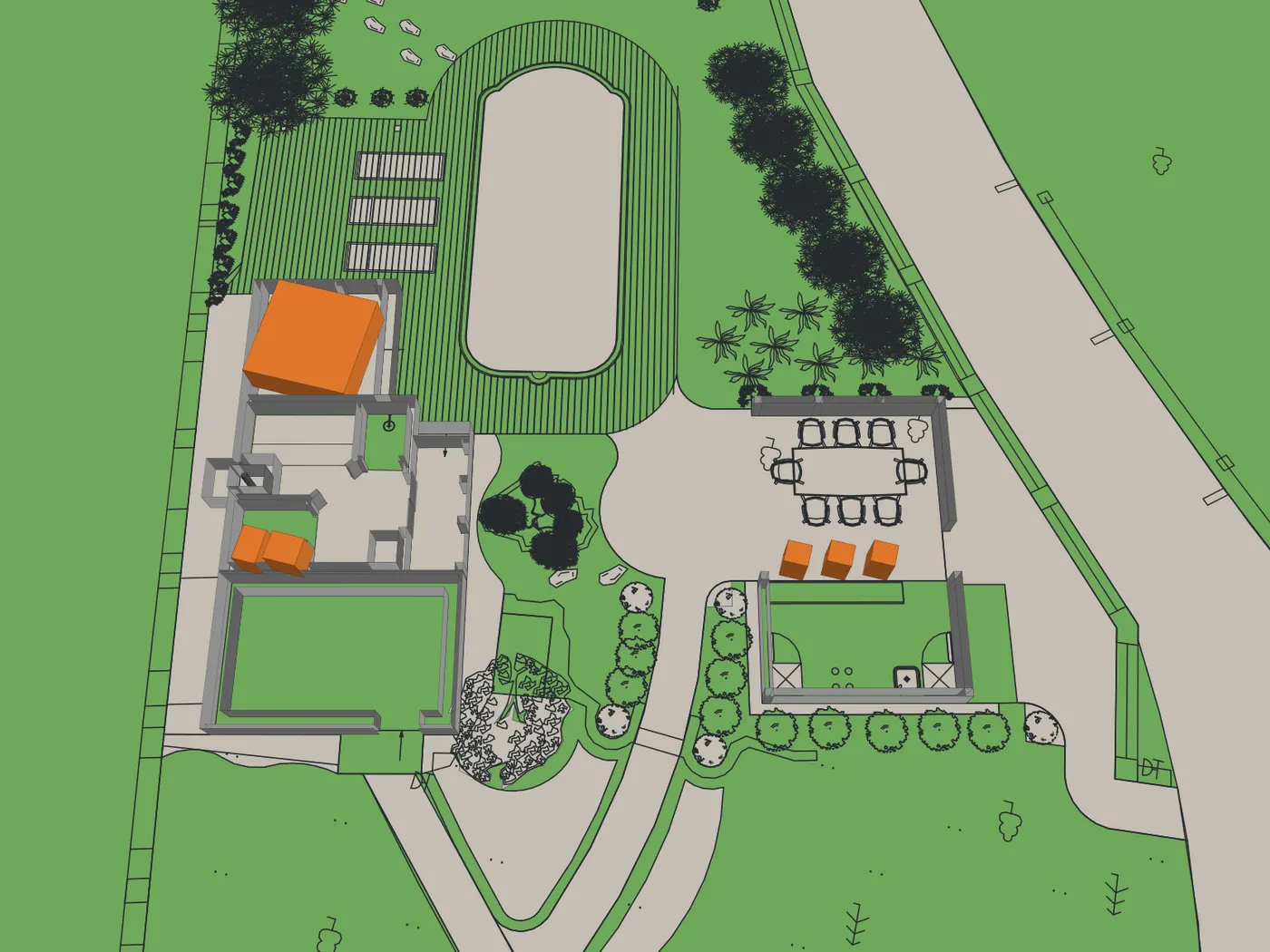
A screenshot of a plan is a picture someone has to read. The .dwg is the design itself: real units, a layer for every kind of thing, every tree placed by name. CAD ↔ Photo builds the garden from the file, and shows you anything it had to assume before you spend a credit. SketchUp, Lumion and Twinmotion need a 3D model built first; AI render apps restyle a screenshot.
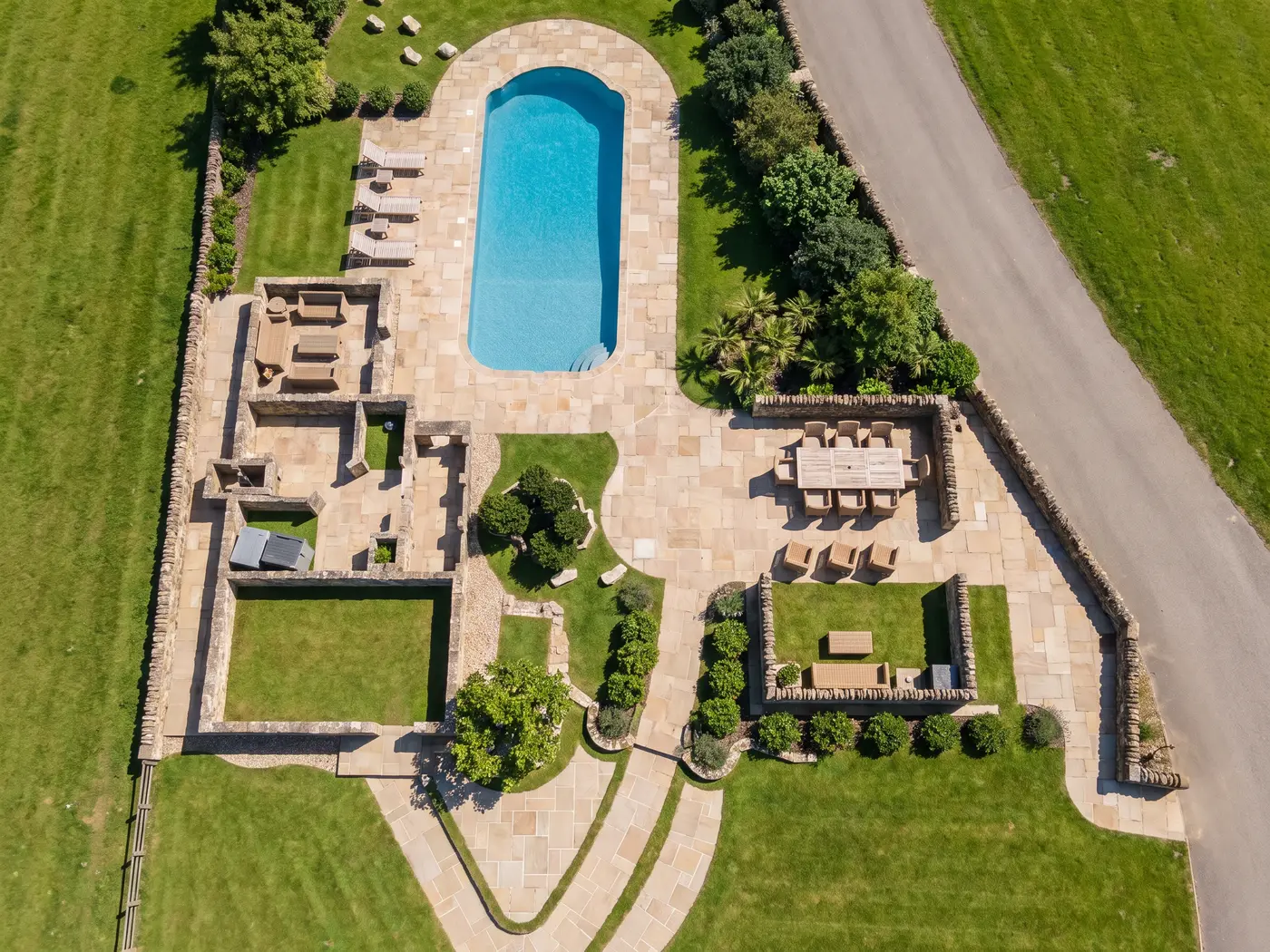
 Drawing
Render
Drawing
Render
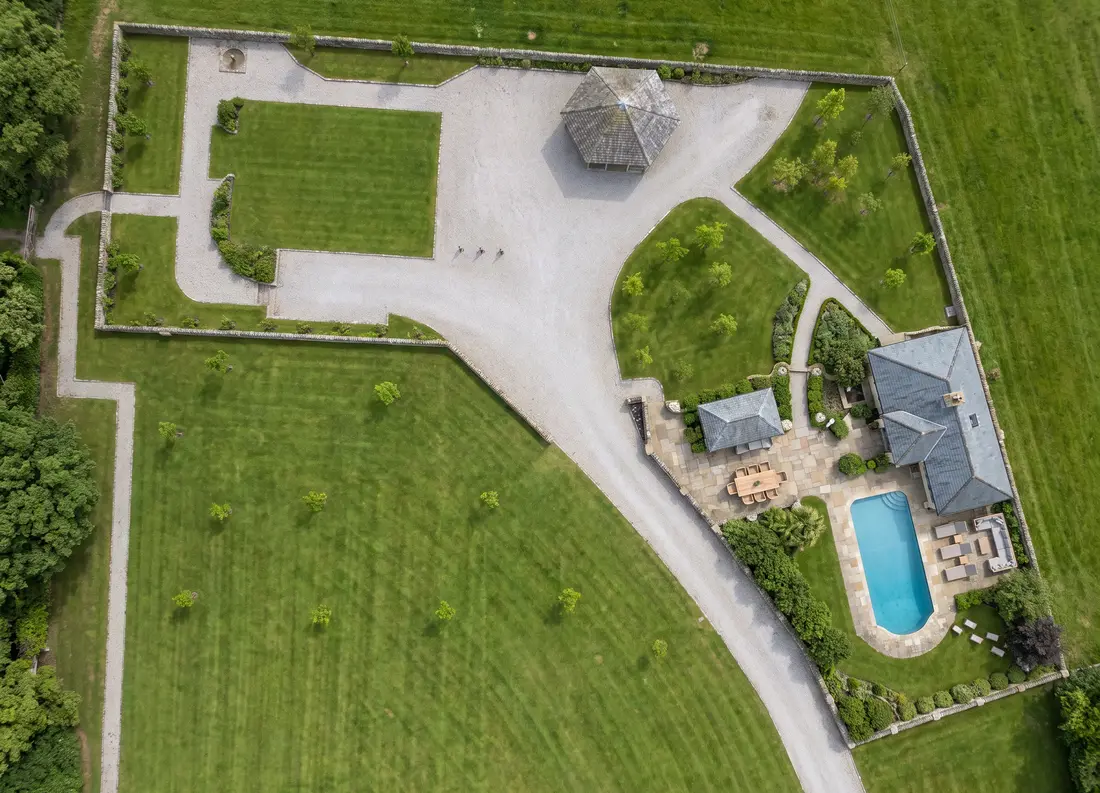
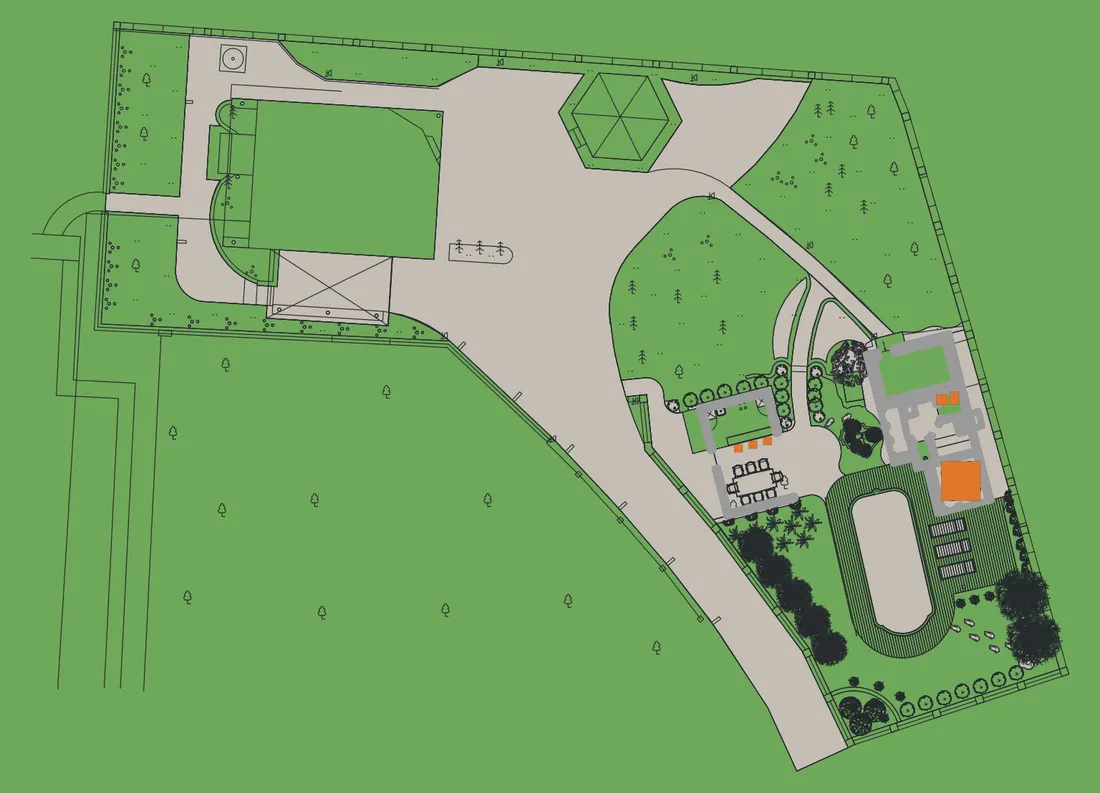 Drawing
Render
Drawing
Render
Real renders, each from its own drawing. Drag the handle to compare.
The file
Your AutoCAD .dwg, read layer by layer. Nothing is traced off a picture of it.
The model
Beds, paths, walls, fences and trees, built in 3D from the file’s own geometry.
The views
The plan and all four sides in one click, or any shot you frame yourself.
The check
Each render is measured against its drawing — 27 kinds of thing — and made again, up to 3 times, while anything is off. The verdict is shown under it.
CAD ↔ Photo reads your AutoCAD .dwg, builds the garden as a 3D model, renders the plan and its four sides or a view you frame, and checks every render against its drawing, up to 3 times, showing the verdict under it.
In Signature Studio
$199 a month
Or $1,990 a year, 2 months free. 2,000 credits a month and priority rendering. Reading the drawing, the 3D model with its house, edits and materials are included. Credits pay for the images: 9 an image, 15 with high detail on. A checked view takes 1–3 images, most often 2. The plan and all four sides from 45 credits. A view we can’t make is refunded.
Walk around puts the design into your own photo of the site: drag where you stood on the plan and the drawing is rendered into that photograph, from 9 credits. It isn’t checked against the drawing, since what lies beyond the design comes from your photo.
Built for People Who Work From Drawings — Not a Consumer App With a "Pro" Badge
Hadaa slots into how you already work. Early in a project — concept, feasibility, client sign-off — you don't need a finished construction set. You need something fast and convincing enough to show a client what the space will feel like. A 3D walkthrough does that; a flat plan never has.
Concept Design
Spin up several directions from your early sketches before you commit. Test paths, planting, and materials without burning an afternoon in SketchUp.
Client Presentation
Upload the concept and walk into the meeting with a photoreal 4K visual instead of a sketch and a verbal pitch.
Planning Applications
A photoreal render carries more weight in a submission than a 2D plan. 4K output drops straight into a planning report.
A Tool for People Who Read Plans
Hadaa understands plan views — that a line is a boundary, that a hatched area is a planted bed. That's what makes it a genuine tool for designers rather than a photo filter in a suit.
And when the plan lives in AutoCAD, it no longer has to be a picture at all: CAD ↔ Photo renders the .dwg itself, every layer where you drew it.
Used by architects and designers across 180+ countries for concept work, rendering, and client presentations.
-
2–4 weeksLead time per render
-
$2,000–$10,000Per visualization project
-
Days per revisionEach change request
-
You describe itThey interpret — often wrong
-
Under 60 secondsInstant 3D landscape rendering
-
From $9 per renderPay once — no subscription
-
Instant iterationsChange anything, re-render immediately
-
You control itDirect result — no interpretation layer
That speed changes how you work. You can test five ideas in the time it used to take to get one rendered — and show clients a real visual the same day you sketch the concept.
The Complete Guide: From First Photo to Finished Blueprint
Designing a yard used to mean hiring a pro, waiting weeks for drawings, and paying thousands before a single plant went in the ground. That math has changed. This guide walks through how Hadaa works, what sets it apart, and how homeowners and designers across 180+ countries are using it to plan — and actually build — better outdoor spaces.
What It Actually Is
Real design software for the outside of a house has to hold three things at once: the geometry of your specific property, the biology of plants that suit your region, and the visual logic of good landscaping. Hadaa is built around all three. Upload one photo and, in about a minute, you get a photorealistic design of your yard — not a template, not a stock image — planted with species that can live where you live. That's the line between a purpose-built tool and an image generator with a garden filter.
Under the hood are seven engines across three systems. Enhance restyles, edits by text, and previews your yard at night or across seasons. Transform stitches multiple photos into an aerial map, turns sketches into 3D, and renders an AutoCAD .dwg straight from the file. Autopilot runs the whole thing for you — up to 22 renders from your garden photos, or 8 from a sketch and a sentence. A Biological Engine sits underneath it all, keeping every plant survivable in your zone.
What Changed for Homeowners
Ten years ago a professional design started at $2,000–$5,000 — just for drawings. Most people skipped it and described a vague idea to a landscaper, hoping for the best. Now anyone can upload a backyard photo, pick a style, and have a photoreal concept in under a minute — and in Project Studio, a shopping list and planting guide to hand a contractor. What cost $3,000 and three weeks now starts at $9 and takes a couple of minutes — and because homeowner and contractor finally work from the same picture, there's far less of the "but I imagined it differently" that drives revision after revision.
What's Under the Hood
Hadaa fixes the three things that make traditional design painful — cost, speed, and miscommunication. The feature set:
- Style Presets — 48+ looks applied to your actual yard in a click; mask to restyle only part of it; up to 4 variations a run.
- Smart Fix — Type a change ("stone fire pit," "wisteria pergola") and it's placed with correct depth, scale, and light.
- Quick Actions — Scans for mud, weeds, debris, and dead growth, fixes them in a click, then previews night, golden hour, and seasons.
- Change Viewpoint — Turns 4–14 photos into an aerial map you design on, then transfers the result to any ground-level angle.
- Sketch Engine & Autopilot — Renders any drawing in 4K; Autopilot returns four takes from a single description.
- Garden Autopilot — Your photos, a short brief, and up to 22 renders of your own garden.
- CAD ↔ Photo (Signature Studio) — Upload the AutoCAD .dwg; the garden is built from the file, turned in 3D, and rendered as photographs checked against the drawing.
The Plant Science
Most generators treat plants as green filler — they don't know what survives your winter or what crowds out its neighbours in three seasons. Hadaa's botanical database is cross-referenced with hardiness zones, rainfall, frost dates, and compatibility rules. Design a Denver yard (Zone 5b) and it reaches for hardy grasses and drought-tolerant natives, not the subtropicals that photograph well and die at -10°F. It even sequences bloom times so a pollinator garden has something flowering from April to October.
Your USDA Zone, Briefly
The USDA splits North America into 13 zones by average winter low. Your zone decides what comes back each year and what winter-kills. A Sago palm is gorgeous in Zone 9–10 and dead in a Zone 7 frost; generic tools don't know the difference. Hadaa checks your location against the zone map the moment you start, so Phoenix gets desert natives and Boston gets cold-hardy shrubs and spring bulbs — palettes that look coherent because they're regionally true.
How the Pros Use It
The old consultation ran two to three weeks: site visit, sketches, CAD drafts, a paid rendering, then a presentation. Hadaa compresses that to a single meeting. Photograph the yard on site, generate a few photoreal directions, and get a verbal yes before you leave. Arrive with a hand-drawn plan and it renders on the spot, the client's real fence and driveway in frame. If the concept already lives in AutoCAD, upload the .dwg and render the plan and all four sides from the file itself. Approve a design and it exports a blueprint and a nursery-ready planting guide. For the keen, Garden Autopilot can produce up to 22 directions overnight from a set of site photos — so you walk in with the options already explored.
For Real Estate
Curb appeal moves both price and days-on-market; well-landscaped homes can sell for noticeably more. The trouble is listings are shot as-is — weeds and all — and buyers have to imagine the rest. Photograph the exterior, clean it up with Quick Actions, apply a fitting style, and you've got a photoreal "after" for the listing in minutes. Every render comes with full commercial rights for MLS, marketing, and social.
Getting the Best Out of It
A few habits that pay off: start with a clear, well-lit photo (mid-morning or late afternoon, no harsh shadow). Mask what you want kept before you run anything — telling it what not to touch matters as much as what to change. Be specific with Smart Fix ("stacked-stone waterfall with an ornamental-grass border along the left fence" beats "add a water feature"). And export the planting guide the moment you love a design — that's the thing that turns a pretty render into a plan you can start this weekend.
Born in a Messy Backyard.
Grown Worldwide.
The Origin Story
Hadaa started with a backyard and a frustration anyone who's tried to renovate one will recognize.
Designing an outdoor space was broken two ways. It was expensive — a landscape architect could mean thousands of dollars and weeks of waiting for a single static plan. And for everyone else it was painful — clunky, decades-old software built for professionals, or "AI" tools that just smeared a filter over a photo and understood nothing about the actual space.
We knew it could be better. We wanted to fuse the creative freedom of generative AI with the discipline of real design — a tool that doesn't just paint a pretty picture, but gives people genuine control over how their space looks and works. So we built it, obsessed over every detail, and put it in front of a few people. They didn't want to give it back.
What's happened since still gives us chills: Hadaa now reaches people across 180+ countries and has saved homeowners and pros over $50M in design costs. Every one of those numbers is a person who got to shape their own space without a five-figure budget or a three-week wait. That's the whole reason we built this — great design shouldn't be a luxury, and now it isn't.
Our Philosophy
We believe design should be democratic. A beautiful, functional outdoor space shouldn't take a five-figure budget or a design degree — just an idea and the freedom to chase it.
So that's what we built: professional tools that put you in control. Picture it, get feedback instantly, and iterate until it's exactly right — fifty times over if that's what it takes. No gatekeepers, no waiting weeks for one static plan, and no lock-in. Just the freedom to design, on your own terms.
The Technology
Hadaa is a 100% cloud-native SaaS platform — not a design agency. Built on proprietary AI infrastructure, our software automates the entire landscape-design workflow end to end: from a photo or sketch to a polished, professional-grade render in moments, no specialists required. It's the same automation-first engineering discipline behind production AI systems trusted at scale — now pointed at making great outdoor design instant and accessible to thousands of users worldwide. And because a garden is a living thing, our engine reasons about real plant and site conditions — so what you design isn't just beautiful, it's buildable.
Leadership

Francis Karuri
Founder & CTO
Francis Karuri brings deep, hands-on experience building automation and AI systems at production scale. Across health-tech, research, and media, he has architected and shipped AI-powered platforms end to end — from document-extraction engines reaching 98%+ accuracy and recommendation systems built on vector search and semantic indexing, to machine-learning early-warning systems running inside HIPAA-compliant healthcare infrastructure.
As Founding Engineer and Technical Lead at Audemic, he owned the technical direction of AI extraction and recommendation products and drove 20%+ revenue growth through B2B API integrations. Earlier, at IGNTD, he scaled systems through 400% traffic spikes and engineered automation that eliminated entire manual workflows — the kind of work that turns slow, costly processes into something instant.
At Hadaa, Francis serves as Founder & CTO, overseeing all technical design decisions and leading the company's R&D — from its agentic inpainting engine to its sketch-to-design pipeline. It's automation-first engineering pointed at one goal: making professional-grade outdoor design instant, precise, and open to anyone.
He holds a degree in Electrical & Electronic Engineering from Jomo Kenyatta University of Agriculture and Technology.
Hadaa, Inc. is registered in the State of Delaware, United States.
Questions? We actually read these.
Drop us a line — feedback, a tricky yard, or just to say hi.
Email Support
Our team is ready to assist you.
winnie@hadaa.app