
ChatGPT for Landscape Design: What It Can Do (and Where It Falls Short)
Winnie Astrid
Garden Design Editor
I spent a week running landscape design tasks through ChatGPT — prompts, DALL-E renders, plant lists, design briefs. It’s genuinely good at several things. It’s also missing the piece that matters most when you actually want to redesign your yard: it doesn’t know what your yard looks like, and it can’t produce anything you can hand to a contractor. Here’s the honest breakdown.
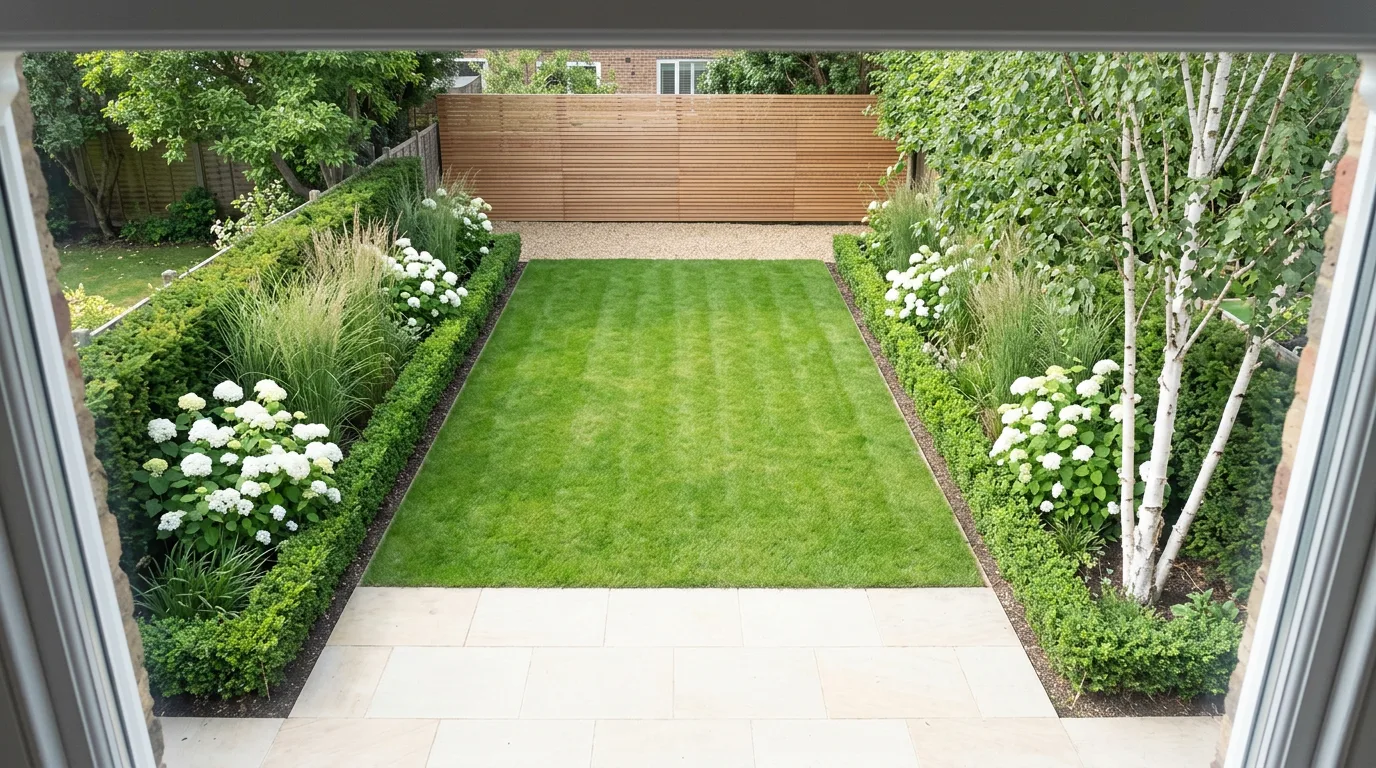
Quick Answer
- For plant ideas and inspiration: ChatGPT works well — fast, creative, surprisingly detailed.
- For visualising your actual yard: Use Hadaa Garden Autopilot — it transforms your photo, not a fictional garden.
- For zone-verified plant lists: Hadaa’s Biological Engine verifies against your USDA zone automatically. ChatGPT guesses unless you supply zone data yourself.
- For contractor-ready output: Hadaa produces a color-coded blueprint and bill of quantities. ChatGPT produces text.
What ChatGPT Actually Does Well
Let’s start with what’s genuinely useful. ChatGPT is a language model with broad horticultural knowledge — it’s absorbed an enormous amount of gardening literature, planting guides, and design writing. That makes it surprisingly capable for several specific tasks.
Plant ideas and inspiration
Ask ChatGPT for plant combinations for a shaded border in the northeast US and it will return a thoughtful, specific list with flowering times, mature heights, and care notes. This kind of task — “what plants work together and why” — plays to its strengths entirely.
Prompt that works: “I have a north-facing border in Zone 6b, about 3m long by 1m deep, under a mature oak. Suggest a planting combination with year-round interest, include botanical names and bloom times.”
The response will be genuinely useful: hostas, astilbes, hellebores, maybe a Japanese forest grass for late-season colour. Bloom sequence, height layering, the lot. This is a legitimately good use of ChatGPT.
Writing and refining a design brief
If you know roughly what you want but struggle to articulate it, ChatGPT is excellent at helping you develop a brief. Describe your yard and preferences in rough terms and it will produce a structured brief you can hand to a designer or use as input for a design tool.
Prompt that works: “Help me write a landscape design brief for my back garden. It’s 12m x 8m, rectangular, south-facing, mostly lawn currently. I want something low-maintenance and modern with a seating area. I have a dog and two kids.”
You’ll get a well-structured brief covering design intent, functional requirements, material preferences, and planting approach. Genuinely useful as a starting document.
Maintenance schedules and care guides
Give ChatGPT a plant list and ask for a monthly maintenance calendar — what to prune, feed, divide, and check each month. It handles this confidently. The output won’t replace a horticulturist’s advice for unusual species, but for a standard mixed border it’s a solid and free resource.
Prompt that works: “I have a garden with Hydrangea paniculata, Miscanthus sinensis, Rosa ‘Felicia’, and Lavandula angustifolia. Write me a month-by-month maintenance schedule for Zone 7.”
Explaining design principles
Repetition, rhythm, focal points, borrowed landscape, the rule of odds — ChatGPT can explain any landscape design principle clearly and apply it to your described situation. If you want to understand why a design works before commissioning it, this is free education.
It’s also good at style research: ask it to explain the difference between a New Perennial Movement planting and a traditional herbaceous border, and it will give you a crisp answer with names to look up. That’s genuinely useful context before you commit to a style direction.
The honest summary
For text-based landscape tasks — ideation, writing, explaining, listing — ChatGPT is fast, capable, and free. Use it liberally for these. The limitation shows up the moment you want to move from description to visualisation.
Best ChatGPT Prompts for Landscape Design
A landscape design prompt works best when it gives ChatGPT the constraints it cannot guess: your hardiness zone, the dimensions, the orientation, and what the space is for. Copy any of these, swap in your own details, and paste them straight into ChatGPT. The more specific your inputs, the more usable the output.
Zone-aware planting plan
Act as a landscape designer. I have a [4m x 3m] [north-facing] border in USDA hardiness zone [6b], [partial shade] under a [mature oak], soil is [clay, slightly acidic]. Suggest a planting plan with year-round interest. For each plant give the botanical name, mature height and spread, bloom time, and approximate quantity for the space. Layer by height and sequence bloom times so something is always in flower.
Low-maintenance family garden brief
Help me write a landscape design brief for my back garden. It is [12m x 8m], rectangular, [south-facing], currently mostly lawn. I want it [low-maintenance and modern] with a [seating area] and a [gravel path]. We have [a dog and two young children]. Structure the brief into design intent, functional zones, materials, planting approach, and budget priorities.
Month-by-month maintenance schedule
I have a garden in USDA zone [7] with [Hydrangea paniculata, Miscanthus sinensis, Rosa 'Felicia', and Lavandula angustifolia]. Write a month-by-month maintenance calendar covering pruning, feeding, dividing, mulching, and pest checks. Flag the two or three tasks each month that matter most so I do not miss them.
Style explainer before you commit
Explain the difference between a [New Perennial Movement] planting and a [traditional herbaceous border] for a [10m] sunny border in zone [6]. Cover the design philosophy, typical plants, maintenance load, and seasonal look, then recommend which suits a [low-maintenance, naturalistic] goal and list five signature plants to research.
The limit of any prompt
A great prompt gets you a great plant list, brief, or schedule — all text. No prompt makes ChatGPT render your actual yard or verify plants against your zone automatically. When you need to see the design on your real space, that is Hadaa’s job, not ChatGPT’s.
Where ChatGPT Falls Short
The limitations aren’t obscure edge cases. They’re central to what most people actually need when they want to redesign a garden.
- No visual output on your actual yard. ChatGPT does not accept a photo of your garden and return a transformed version of it. You can describe your yard and it will describe design ideas back to you — but there is no render, no visualisation, no image showing what your specific space could look like. This is the gap that matters most in practice.
- No USDA zone awareness by default. Unless you explicitly tell ChatGPT your hardiness zone, it has no way to verify that its plant suggestions will survive your climate. Ask for “low-maintenance garden plants” without providing a zone and you may get suggestions that work in Zone 9 California but die at their first Zone 5 winter. It’s not deliberately wrong — it genuinely doesn’t know where you are.
- No deliverables. ChatGPT produces text. There is no PDF planting guide with botanical names and quantities. There is no color-coded contractor blueprint. There is no bill of quantities with material volumes. At the end of a ChatGPT session you have a conversation. At the end of a Hadaa Garden Autopilot run you have a set of files you can hand to a contractor on the same day.
- No spatial reasoning on a photo. You can upload a photo to ChatGPT (with Vision enabled) and ask it to describe what it sees. It will identify approximate plant types and general conditions. But it cannot measure the space, map zones, infer drainage from slope, or understand the three-dimensional relationships between elements the way a purpose-built rendering pipeline does. The output is a textual description, not a spatial model.
- Session amnesia. Each conversation starts fresh. The plant list you built last week, the brief you wrote, the style direction you landed on — gone. There is no persistent project memory unless you manually copy information into each new session. For a design process that evolves over weeks or months, this is a real friction point.
The bottom line
ChatGPT’s limitations aren’t gaps that will be fixed with a better prompt. They’re structural: a language model is not an image renderer, it doesn’t have persistent project state, and it doesn’t have access to your geolocation. These are the jobs that require a purpose-built tool.
DALL-E vs Hadaa: Beautiful vs Useful
ChatGPT with DALL-E can generate garden images — genuinely beautiful ones. If you ask for “a Japanese zen garden with gravel, stone lanterns, and bamboo at golden hour,” DALL-E will produce something photorealistic and gorgeous. This is a real capability, and it’s useful for style inspiration and mood-boarding.
The difference is what the image is of. DALL-E generates a fictional garden that has never existed. Hadaa transforms a photo of your actual yard.
DALL-E vs Hadaa Garden Autopilot
| Capability | DALL-E (via ChatGPT) | Hadaa |
|---|---|---|
| Input | Text prompt | Photo of your actual yard |
| Output | Fictional garden image | Render of your specific space |
| Your yard visible? | No | Yes — your fence, path, structures |
| USDA zone verification | No | Yes — automatic |
| Planting guide PDF | No | Yes — botanical names, quantities |
| Contractor blueprint | No | Yes — color-coded, shareable |
| Bill of quantities | No | Yes — materials and cost estimates |
| Showcase image per favourite | You re-prompt each time | Generated automatically |
| Sketch-to-render | Text prompt only | Upload any hand-drawn sketch |
| Output volume | One image per prompt | 12 renders, then up to 22 in all |
| Cost | ChatGPT Plus: $20/mo | From $9 per project · no subscription |
Verdict
DALL-E is a mood-boarding tool. Hadaa is a design and delivery tool. If you want to feel what a Japanese zen garden looks like, use DALL-E. If you want to see your yard transformed and receive the files to build it, use Hadaa.
See your yard transformed →DALL-E
A fictional garden. Beautiful, but not yours.
Hadaa
Your yard. Your structures. Your design.
The Right Workflow: Use Both, for the Right Jobs
The most effective approach isn’t choosing one or the other — it’s understanding which tool is right for which moment in the design process. Here’s the workflow I’d recommend.
Use ChatGPT to develop your brief
Describe your yard, your lifestyle, your aesthetic preferences. Ask ChatGPT to help you articulate a design brief. This is the best use of its conversational strengths. End this stage with a clear written brief: style direction, functional requirements, any existing features to keep, approximate budget.
Upload to Hadaa Garden Autopilot
Take 1–14 photos of your yard and upload them to Hadaa with the brief you developed. Garden Autopilot generates 12 renders in parallel across four styles, and lets you pick the directions that fit your vision. Your brief becomes the design prompt; your yard becomes the canvas. The renders reflect your actual space — fence, path, existing structures intact.
Use Smart Fix to iterate in plain text
If a render is 80% right but you want to adjust a specific element — swap a hedge for a gravel path, add a water feature by the left boundary — use Hadaa’s Smart Fix engine. Type the change in plain language. The AI applies it to your yard photo directly. This is the kind of “conversational design iteration” ChatGPT approximates through description but cannot actually render.
Export your blueprint and BOQ
Once you have a design you love, export the contractor-ready blueprint (color-coded zones, plant counts, path widths) and the bill of quantities (materials, volumes, cost estimates). Take these to a landscaper for quotes. Take the planting guide PDF to a nursery. The output is immediately actionable in the real world — no intermediate translation step required.
The handoff point is clear: use ChatGPT until you need to see something. The moment you want to look at a rendered version of your actual yard — not a description, not a fictional scene, but your specific space — switch to Hadaa.
For projects that start from a sketch rather than a photo, the same logic applies. Develop your design intent with ChatGPT, then upload your sketch to Hadaa Sketch Autopilot for four photorealistic renders from a single upload.
Verdict: Different Tools, Different Jobs
ChatGPT is a generalist language model. It knows a lot about gardens — more than most homeowners — and it’s excellent at the written and conceptual parts of landscape design: developing a brief, generating ideas, explaining principles, writing maintenance schedules. It’s genuinely worth using for those tasks.
What it cannot do is look at your actual yard and tell you what it could be. That requires a purpose-built rendering pipeline trained on landscape photos, with spatial reasoning, zone-aware plant biology, and output formats that translate directly into action.
These aren’t the same tool competing for the same job. They’re different tools at different stages of the same project. The mistake is expecting either to do the other’s work.
If you want to see what your specific yard can become — not a description, not a fictional render, but your actual space with your existing fence and your existing path — Hadaa is where that conversation ends.
Frequently Asked Questions
Can ChatGPT design my garden from a photo?
Is DALL-E useful for garden design?
How does Hadaa compare to using ChatGPT for landscaping?
Can I use ChatGPT to get a plant list for my garden?
What does Hadaa do that ChatGPT cannot?
Purpose-built AI landscape design
See what a purpose-built AI can do that ChatGPT can’t.
Upload a photo of your yard. Get 22 photorealistic renders, a USDA zone-verified planting guide, a contractor-ready blueprint, and a bill of quantities — from $9 per project.


